WooSheets Manage WooCommerce Orders 7.7
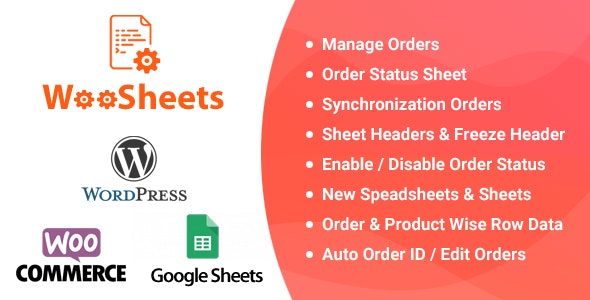
Effortlessly manage WooCommerce orders with WooSheets Manage WooCommerce Orders, a WooCommerce plugin that puts all orders into one Google Spreadsheet with 7 status sheets. Get instant visibility, streamlined processing, and automatic ordering by ID—saving time and reducing errors. Easy setup, great for teams, and ready to scale your store.
Description
WooSheets Manage WooCommerce Orders is a WordPress plugin for WooCommerce stores that centralizes order management in Google Sheets. Instead of checking multiple screens, it places your WooCommerce orders into one Google Spreadsheet for clearer tracking and faster processing.
With 7 separate status sheets, each order status is organized into its own tab, helping teams spot what needs attention. WooSheets also automatically orders items by order ID, so your workflow stays consistent and reduces mistakes caused by manual sorting.
Ideal for stores that want better visibility and simpler order handling, this plugin helps streamline day-to-day operations while supporting growth as order volume increases.
Main Features
- Single Google Spreadsheet — Connects all WooCommerce orders into one Google Sheet for centralized visibility.
- 7 Order Status Sheets — Provides separate tabs for key WooCommerce order statuses.
- Separate Sheets by Status — Keeps orders organized by status, reducing scanning across mixed data.
- Automatic Ordering by ID — Sorts entries by order ID to maintain a predictable sequence.
- Structured Order Tracking — Makes it easier to monitor where each order sits in your workflow.
- Team-Friendly Workflow — Supports shared review of order information in the spreadsheet.
- Easy Setup in WordPress — Designed to integrate with your WooCommerce setup on WordPress.
- Time-Saving Processing — Streamlines order review by consolidating information in one place.
Benefits
- Instant clarity — Get quick visibility into order progress using dedicated status tabs.
- Fewer errors — Automatic ordering by order ID helps avoid mistakes from manual rearranging.
- Faster fulfillment — Centralized tracking reduces time spent jumping between admin screens.
- Better team coordination — Shared spreadsheet organization improves how multiple staff review orders.
- Scalable operations — As order volume grows, keeping statuses separated helps maintain a manageable workflow.
Who is it suitable for?
- WooCommerce stores that need a more efficient order overview.
- Teams handling order fulfillment, packing, and status updates.
- Agencies managing multiple eCommerce client workflows.
- Business owners who prefer spreadsheet-based operations for order tracking.
- Retail brands that want consistent organization across busy order periods.