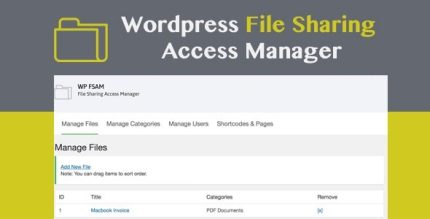
WP FSAM 1.1 – File Sharing Access Manager

WP FSAM securely enables private file sharing on WordPress, letting admins upload PDFs, ZIPs, images, or audio and assign access by category. Users get only the files they’re allowed to download, delivering a clear, safe library with private access. With simple setup and solid integration, this plugin is the ideal tool for private, controlled downloads — explore WP FSAM today.
Description
WP FSAM is a WordPress plugin for private file sharing and controlled downloads. It helps site admins upload and organize files such as PDFs, ZIPs, images, and audio into a clear library. The plugin solves the common problem of keeping downloads restricted to the right people by assigning users access through categories. With a straightforward admin workflow and tight WordPress integration, you can manage who can download what—without exposing your entire media or documents collection.
Main Features
- Private file sharing — Restricts downloads so users only access files they are permitted to get.
- Admin file uploads — Enables administrators to upload downloadable items directly within WordPress.
- Multiple supported file types — Lets you create downloadable files from formats like PDF, ZIP, images, and audio.
- Category-based organization — Organizes files into categories to reflect projects, topics, or content groups.
- User & category access control — Allows admins to create users and assign them to the categories they can download.
- Controlled download visibility — Ensures users can only download files from categories they’ve been assigned.
- Simple setup workflow — Provides an easy, admin-friendly process for managing uploads and permissions.
- Works with WordPress libraries — Uses WordPress-side management so file access stays aligned with your site structure.
Benefits
- Safer sharing — Reduces the risk of exposing restricted documents by enforcing private access.
- Better user experience — Users see only the downloads relevant to their assigned categories.
- Clearer content structure — Categories make it easier to maintain an organized, understandable file library.
- Efficient admin management — Centralizes uploads, user creation, and permission assignments in one place.
- More consistent downloads — Ensures permissions stay consistent as files and categories grow over time.
Who is it suitable for?
- Teams managing private downloads for clients or internal projects.
- Course creators and online schools sharing lesson materials by category.
- Agencies that need controlled access to deliverables and resources.
- WordPress site owners building gated libraries for members or users.
- Content publishers distributing media assets like PDFs, images, and audio to select audiences.