Directorist Listing Importer 1.1.0

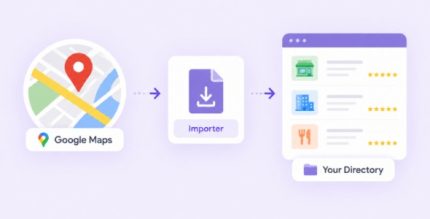
Directorist Listing Importer is a WordPress plugin for directory sites built with the Directorist listing directory. It helps you import existing listing data in bulk, so you can migrate content faster and keep categories consistent. Spend less time on manual setup and more time publishing accurate listings for visitors.
Description
The Directorist Listing Importer is a WordPress plugin designed to move existing directory listings into your Directorist-powered business directory. If you already have data stored in spreadsheets or other export formats, this importer helps you bring that content into WordPress without recreating listings by hand.
It streamlines the setup of new directories and migrations, letting you reuse listing fields, categories, and related information so your catalog is ready faster. The workflow is handled in the WordPress admin area, making it practical for day-to-day directory management with Directorist.
Main Features
- Bulk listing import — Import multiple listings at once to reduce manual entry.
- CSV-based data support — Use structured files to provide listing details for import.
- Field mapping — Match your source columns to Directorist listing fields.
- Category assignment — Import listings into the correct Directorist categories.
- Location handling — Import location-related data where your setup uses directory locations.
- Image import — Bring listing images from your provided data.
- Duplicate-aware import — Prevent repeated entries by using import behavior that can avoid re-adding existing listings.
- Import status visibility — Review the import process from the WordPress dashboard.
Benefits
- Faster migration — Move an existing catalog into Directorist quickly.
- Less manual work — Reduce repetitive data entry and copy/paste tasks.
- Cleaner directory setup — Keep categories and listing structure consistent with your source data.
- Better content quality — Import key listing details (including images) to improve user experience.
- Operational control — Understand import results and progress directly in WordPress.
Who is it suitable for?
- New Directorist directory owners setting up content quickly
- Teams migrating a business directory from another system
- Agencies building multiple WordPress directory projects
- Local directory publishers importing catalogs and updates
- Site admins managing large batches of listings