Questionar 1.1.8 – FAQ Accordions for Elementor
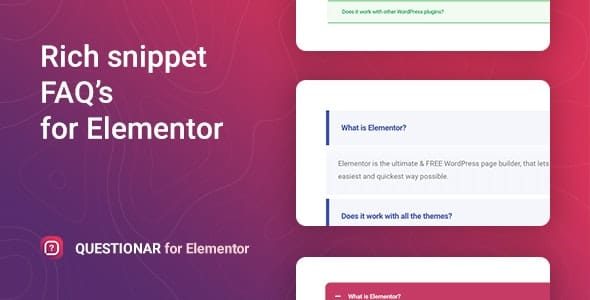
Questionar is an easy-to-use WordPress Elementor widget that lets you add an FAQ accordion in minutes. This clear, customizable FAQ block boosts user satisfaction and SEO with fast, accurate answers right where visitors look. Enjoy effortless design alignment, no coding required, and quick styling to match your site.
Description
Questionar is an easy-to-use WordPress plugin that adds an FAQ accordion using the Elementor page builder. It helps you answer common questions right where visitors need them, reducing friction and supporting a smoother browsing experience. With a simple setup flow, you can build an accordion of main questions in just a few clicks—no coding required.
The widget is designed to be customizable, so you can quickly adjust the look of your FAQ block to match your site’s theme and design style in Elementor. By presenting questions and answers in a clear, organized layout, Questionar can also support better SEO outcomes through improved on-page content structure and accessibility.
Main Features
- Elementor FAQ accordion widget — Add an accordion-style FAQ block directly in the Elementor editor.
- FAQ creation in a few clicks — Build your list of main questions quickly without complex setup.
- Accordion expand/collapse layout — Keep answers neatly organized so users can scan and expand as needed.
- Customizable FAQ content — Define each question and its corresponding answer for accurate on-page help.
- Design controls for styling — Adjust the visual presentation to align with your site’s look and layout.
- Quick formatting inside Elementor — Apply styling changes efficiently while editing your page.
- No coding required — Configure and customize the widget using an intuitive interface.
- Fast placement on pages — Insert the FAQ block wherever visitors look for answers, such as service and support sections.
Benefits
- Better user satisfaction — Helps visitors find answers quickly, improving trust and clarity.
- Improved content organization — Accordion formatting reduces clutter and makes FAQs easier to scan.
- Higher engagement — Encourages interaction by letting users expand only the questions they care about.
- More consistent design — Styling options support a cohesive look with your Elementor pages.
- SEO-friendly structure — Clear question-and-answer sections can support stronger on-page relevance for search.
Who is it suitable for?
- WooCommerce stores that need product and policy FAQs
- Small business websites using Elementor for service pages
- Agencies building templates for multiple client sites
- Online schools and course providers with enrollment FAQs
- Content creators and blogs that publish help-focused guides