EventZilla 1.5.2 – Event Calendar WordPress Plugin

Description
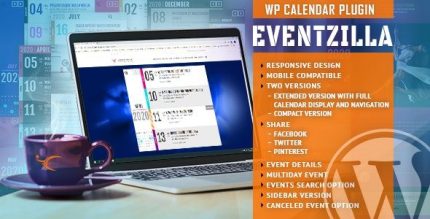
EventZilla is a WordPress calendar plugin built to help you plan and publish events with a clean, modern interface. It solves the problem of organizing event content in a way that visitors can quickly browse, find, and understand. With multiple layout options—including extended, compact, and sidebar styles—EventZilla lets you match the calendar experience to your site design. Its responsive tile calendar navigation and color customization make the schedule feel consistent and easy to use.
The built-in search helps users locate specific events faster, improving overall visibility on event pages. Whether you’re managing a single calendar or a growing schedule, EventZilla provides a flexible structure for presenting events clearly within your WordPress website.
Main Features
- Multiple calendar layouts — Switch between extended, compact, and sidebar calendar styles to fit different page needs.
- Responsive tile navigation — Use a tile-based calendar view that stays usable across screen sizes.
- Color customization — Adjust colors in many combinations to align the calendar with your branding.
- Built-in event search — Enable visitors to search for events without leaving the calendar experience.
- Elegant event display — Present event information in a structured, easy-to-scan format.
- Compact view support — Offer a space-friendly layout for pages where screen real estate is limited.
- Sidebar-friendly version — Display events in a sidebar layout for blogs and content-heavy pages.
Benefits
- Faster discovery — Search and clear navigation help visitors find the right event quickly.
- Better UX — Responsive tiles and layout options make browsing smooth on mobile and desktop.
- Improved engagement — Visually consistent colors and organized event presentation encourage interaction.
- More visibility — Highlighting events through customizable views helps your schedule stand out on the page.
- Flexible site integration — Different layouts make it easier to place the calendar across various WordPress page designs.
Who is it suitable for?
- Event organizers who need a clear, flexible WordPress event schedule
- Venue websites and community centers publishing recurring events
- Marketing teams maintaining campaign calendars on WordPress
- Agencies building event-focused websites for clients
- Content publishers that want a sidebar calendar alongside articles
- Organizations offering schedules for workshops, talks, or classes