WP OnlineSupport WP Responsive Recent Post Slider 2.0

Description
WP OnlineSupport WP Responsive Recent Post Slider is a WordPress plugin designed to showcase your latest posts in a responsive, eye-catching slideshow. Instead of relying on a static list, it turns recent content into a carousel that draws attention and encourages visitors to explore more pages. With options to display thumbnails, titles, and post content, you can present key information at a glance and improve on-page engagement. It’s built to work across devices, keeping the slider readable and consistent within your WordPress theme.
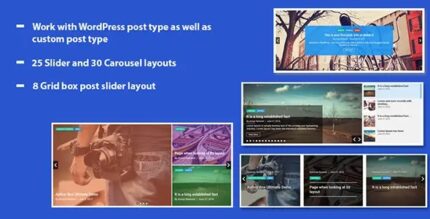
For flexibility, the plugin includes 25 post-slider designs and 30 carousel layout options, so you can match the look of your site and refresh your homepage or blog section without changing your underlying content. If you want a cleaner way to highlight what’s new, this plugin helps you do it with a single, reusable WordPress element.
Main Features
- Responsive recent post slideshow — Displays your latest posts in a mobile-friendly slider.
- Cross-browser compatibility — Designed to render correctly across common browsers.
- Thumbnail support — Includes post thumbnails on slides for faster visual scanning.
- Title and content display — Shows post titles and content excerpts inside the carousel.
- Customizable carousel layouts — Lets you choose from multiple carousel layout styles.
- 25 post-slider designs — Provides different slider looks to fit your site’s style.
- 30 carousel layout options — Offers varied arrangements for richer presentation.
- WordPress-focused integration — Built specifically for displaying posts within a WordPress site.
Benefits
- More engagement — Highlights what’s new to keep visitors browsing.
- Improved UX — A carousel layout makes recent updates easier to scan.
- Higher click-through potential — Thumbnails, titles, and snippets give users clear reasons to open posts.
- Consistent mobile experience — Responsiveness helps content stay readable on phones and tablets.
- Flexible visual matching — Multiple designs and layouts help your slider blend with your theme.
Who is it suitable for?
- WooCommerce blog and content pages that feature new articles
- Corporate and portfolio websites built on WordPress
- Content publishers who want a clear “Latest Posts” section
- Marketing teams and agencies managing multiple WordPress projects
- Education and community sites sharing frequent updates