
Types Forms (former CRED WordPress Plugin) 2.6.26
Description
Toolset Types Forms (former CRED WordPress Plugin) helps you create and manage WordPress forms that work with structured content—without writing custom code. Instead of using basic contact forms only for email, it streamlines how you collect submissions and turn them into usable data inside WordPress. You can pair form inputs with Toolset Types to build dynamic workflows, from applications and requests to directories and structured listings. The focus is on faster setup, cleaner content handling, and layouts that feel tailored to your site’s user experience.
For teams building WordPress websites with themes, page templates, and plugins, Toolset Types Forms supports a designer-friendly process that keeps content and form logic aligned. It’s especially useful when you need reliable data collection, consistent field mapping, and repeatable form-driven experiences across multiple pages.
Main Features
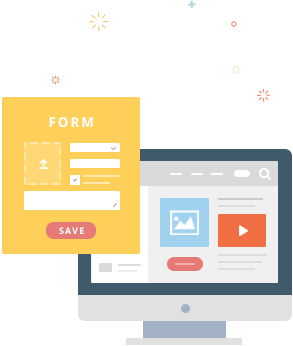
- Drag-and-drop form builder — Create form layouts visually by arranging fields and sections in the editor.
- Custom field input options — Add different field types to match the data you want to collect from users.
- Forms linked to Toolset Types — Map submissions to structured data for content types built with Types.
- Structured submission storage — Save form results in a way that aligns with WordPress content workflows, not just email messages.
- Dynamic templates for output — Display collected data using template-driven layouts for front-end experiences.
- Validation and field rules — Help ensure submissions are complete and formatted consistently before saving.
- Reusable form setups — Build form configurations that can be duplicated and adapted across pages or projects.
- No-code configuration — Reduce developer dependency by setting up behavior through the plugin interface.
Benefits
- Faster launch — Build functional WordPress forms quickly without custom coding for every new requirement.
- More reliable data — Improve submission quality with consistent field handling and validation.
- Better UX for visitors — Deliver clearer, well-structured form experiences that match your page layout.
- Improved conversion intent — Turn user actions into real content or requests, making follow-through easier.
- Easier content management — Keep form-driven information organized in WordPress through Types-aligned structure.
- Scalable workflows — Repeat the same form logic across multiple pages while maintaining consistent structure.
Who is it suitable for?
- WordPress agencies building client sites that need structured form-driven workflows.
- Directories and listing websites that rely on custom fields and repeatable submission formats.
- Service and application websites collecting requests that must become structured content.
- Teams creating community, membership, or onboarding flows with consistent data capture.
- Websites using custom content models where forms must integrate with WordPress content types.
- Content teams who want a designer-friendly way to maintain form layouts and outputs.