Kirki Pro 6.3.2
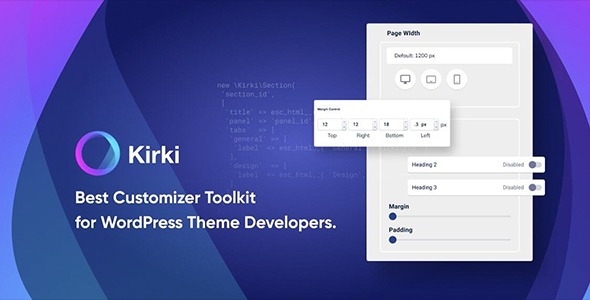
Kirki Pro is a WordPress theme customizer plugin that extends the WordPress Customizer with flexible fields and smooth live preview. Build structured theme settings, typography, and styling options without cluttering templates, helping you deliver consistent branding faster. Ideal for theme authors and developers who want cleaner workflows and easier client updates.
Description
Kirki Pro is a premium WordPress Customizer framework that helps theme and plugin developers build configurable settings for their site. Instead of hard-coding options, it lets you define Customizer fields, sections, and panels with a structured approach.
It solves the problem of creating complex theme settings—like typography, colors, spacing, and repeatable content controls—while keeping live preview fast and user-friendly in the WordPress dashboard. The result is easier customization for websites built with popular themes and page builders such as Elementor, including WooCommerce-focused design adjustments.
Main Features
- WordPress Customizer API integration — Create Customizer sections, panels, and fields using a developer-friendly configuration.
- Live preview controls — Update settings with immediate feedback in the Customizer preview.
- Repeatable field (Repeater) support — Add dynamic lists of items (e.g., feature blocks, sliders, or FAQ entries) directly in the Customizer.
- Typography controls — Manage font, size, weight, and related styling options with structured settings.
- Color and palette options — Provide consistent color choices for backgrounds, accents, and UI elements.
- Background and spacing settings — Configure layout-related properties such as spacing and background styling.
- Conditional logic — Show or hide controls based on other option values.
- Import/export of settings — Move Customizer configurations between installs or environments.
Benefits
- Better UX for editors — Users adjust design settings through familiar WordPress screens instead of developer tools.
- More flexible layouts — Repeaters enable scalable content sections without modifying theme code.
- Consistent styling — Typography, color, and spacing controls help maintain brand consistency across templates.
- Faster customization cycles — Live preview reduces trial-and-error when building page layouts.
- More maintainable development — Centralized settings definitions streamline theme and plugin updates.
Who is it suitable for?
- Theme developers building flexible WordPress themes
- WooCommerce store owners who need customizable storefront styling
- Agencies creating client sites with reusable template kits
- WordPress developers maintaining Elementor-ready design options
- Plugin authors who want to expose settings in the Customizer