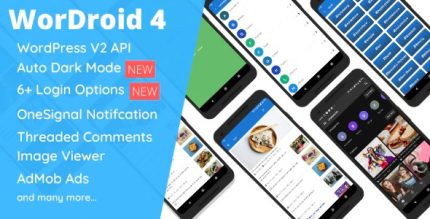
WorDroid 4.7 – Full Native WordPress Blog App

A full-featured native WordPress blog app, WorDroid delivers a seamless reader experience with AdMob, analytics, push notifications, offline reading, and a dedicated image viewer. Get started fast: install the required plugins and add your blog URL, enjoying easy integration and offline access. Perfect for WordPress users seeking performance and simplicity.
Description
WorDroid is a full-featured native WordPress blog app that brings a focused reading experience to your audience. Instead of relying on a basic browser view, it helps turn your WordPress content into a dedicated mobile-friendly experience with features readers expect. It solves the common issue of slow, cluttered, or inconsistent blog viewing by providing an app-style layout. WorDroid also supports offline reading, so visitors can access posts even when connectivity is limited. Setup is straightforward: install the required plugins, add your blog URL, and start delivering content.
Main Features
- Native blog app experience — Provides a reader-focused interface designed for mobile usage.
- AdMob integration — Enables in-app monetization through AdMob placements.
- Analytics support — Helps you understand reader engagement with built-in analytics.
- Push notifications — Sends updates to notify readers about new posts and content changes.
- Offline reading — Lets users read previously loaded posts without an internet connection.
- Dedicated image viewer — Improves how post images are presented and browsed.
- Easy WordPress setup — Requires installing the required plugins and entering your blog URL.
- Simple integration — Connects your WordPress blog to the app experience with minimal configuration.
Benefits
- Better reading UX — App-style navigation makes it easier to browse and consume posts.
- More consistent engagement — Push notifications encourage repeat visits and timely content discovery.
- Higher value from content — Analytics help you track what performs best and refine your approach.
- Improved accessibility — Offline reading supports users in low-connectivity situations.
- Stronger media experience — A dedicated image viewer enhances how visuals are consumed.
- Monetization option — AdMob support provides a way to display ads within the app.
Who is it suitable for?
- WordPress blog owners who want a dedicated mobile reading experience
- Publishers focused on notifications and recurring readership
- Content creators with image-heavy posts who need better image viewing
- Websites that want analytics for reader engagement
- Teams managing offline-friendly access for audiences on the go
- Publishers interested in AdMob-based in-app ad placements