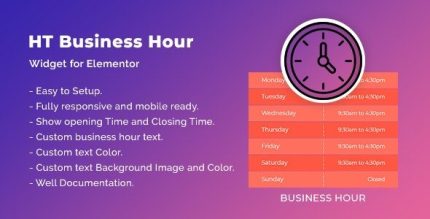
HT Business Hour Widget for Elementor 1.0.4

HT Business Hour Widget for Elementor allows you to display business hours with 5+ stylish layouts and a drag‑and‑drop panel for effortless customization on WordPress sites using Elementor; it delivers clear, responsive time information, boosts trust, and makes scheduling details instantly accessible.
Description
The HT Business Hour Widget for Elementor is a WordPress plugin that helps you display business hours clearly on your website using Elementor.
Instead of burying opening times in text blocks, this Elementor widget presents time information in a structured, easy-to-scan format for visitors.
It includes 5+ stylish layouts that you can change quickly, so your business hours match your site’s look and feel.
With a drag-and-drop setting panel, customization stays simple inside the Elementor page builder, while responsive layouts keep schedules readable on mobile devices.
Main Features
- Elementor widget integration — Add business hours directly within the Elementor editor.
- Business hours display — Present opening and closing times in a dedicated business-hour section.
- 5+ layout styles — Choose from multiple prebuilt styles to fit different page designs.
- Drag-and-drop customization panel — Adjust the widget configuration quickly without complex setup steps.
- Responsive layouts — Ensure business hour information adapts cleanly to smaller screens.
- Style switching — Update the appearance by selecting a different layout style in the editor.
- Consistent presentation — Keep schedule details clear and structured across your WordPress pages.
- Elementor-friendly editing — Customize in a visual workflow while building your page.
Benefits
- Clearer schedules — Visitors can find opening hours faster, improving day-to-day usability.
- Better trust — Displaying accurate time information helps build confidence in your business.
- Higher engagement — Well-presented hours encourage users to take action, like planning a visit.
- Improved UX on mobile — Responsive layouts keep business hours readable across devices.
- Faster page building — The drag-and-drop panel streamlines customization inside Elementor.
- More cohesive branding — Multiple styles let you match the widget to your theme and page layout.
Who is it suitable for?
- Local business websites that need clear opening hours (cafes, clinics, stores, salons).
- WooCommerce businesses using Elementor to present store visit times on product or contact pages.
- Service providers with scheduling requirements (consultants, agencies, repair services).
- Web agencies building Elementor-based client sites with consistent business info sections.
- Corporate or nonprofit WordPress sites that publish visiting or support hours.
- Any site using Elementor templates or a template kit where business hours must look polished and responsive.