WooCommerce User Registration Plugin 1.0.9
Boost registrations with WooCommerce User Registration Plugin, a versatile Woocommerce solution that lets you add custom fields and manage default registration fields. It improves data capture and signup UX, driving higher conversions. Admin-friendly field control and seamless checkout integration make it a smart, flexible choice—explore it today.
Description
The WooCommerce User Registration Plugin for WordPress helps you improve the signup experience in WooCommerce by customizing the user registration form. It solves a common problem for stores: WooCommerce’s default registration fields often don’t capture the details you need for orders, account setup, or customer communication.
With this plugin, you can add custom registration fields and control which WooCommerce default fields appear during registration. That means cleaner forms, more complete user data, and a smoother path from registration to account creation—useful when building WooCommerce flows with plugins and page builders like Elementor.
Main Features
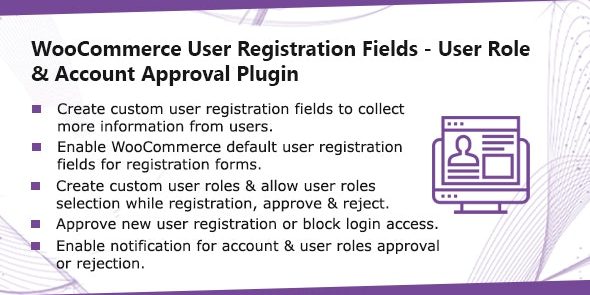
- Custom registration fields — Add your own fields to the WooCommerce user registration form.
- Enable/disable default fields — Choose which WooCommerce default registration fields are shown to visitors.
- Admin-friendly field control — Manage field visibility from the WordPress admin without editing templates.
- Registration form targeting — Apply changes specifically to the WooCommerce registration form experience.
- Cleaner signup UX — Reduce unnecessary inputs by hiding fields you don’t need.
- Improved data capture — Collect customer information that supports fulfillment and account setup.
- Compatibility with WooCommerce signup flows — Keep registration steps aligned with typical WooCommerce account creation behavior.
- Works within WooCommerce themes — Designed to integrate into the existing WooCommerce frontend so updates are less disruptive.
Benefits
- Better conversions — Shorter, clearer signup forms can reduce friction and help more users complete registration.
- Higher-quality customer data — Custom fields help you capture the details you actually use in your store operations.
- More consistent UX — Using the same controlled fields across registration supports a smoother user journey.
- Lower form abandonment — Letting you remove unnecessary default inputs can reduce drop-offs during signup.
- Simpler account setup — When the right information is collected at registration, onboarding becomes faster for both you and customers.
Who is it suitable for?
- WooCommerce store owners who need additional customer details at signup
- Web agencies building WooCommerce sites for clients with specific data requirements
- Ecommerce brands improving registration UX to support higher conversion rates
- Online service businesses using WooCommerce and requiring structured customer info
- Content or membership sites that rely on smooth account creation
- Teams using Elementor or custom page templates who want registration fields managed centrally