SeedProd Notification Bar Pro 1.2.13
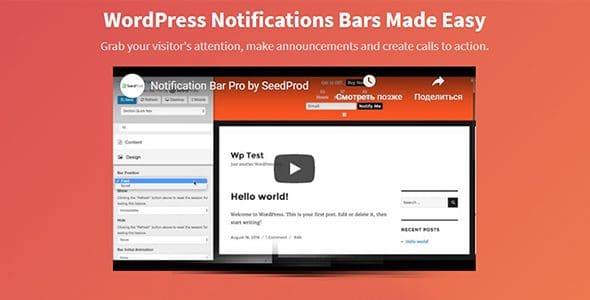
SeedProd Notification Bar Pro is a WordPress plugin that lets you easily create announcement and notification bars, with flexible scheduling, placement, and display options. Its main benefit is boosting engagement with timely, non-intrusive alerts and smart show/hide triggers that vanish after action. Plus, it offers seamless design, quick setup, and reliable visibility across pages.
Description
SeedProd Notification Bar Pro is a WordPress plugin that helps you create announcement and notification bars for your site. Instead of relying on static banners, it lets you control when and where alerts appear with flexible scheduling and placement settings. This solves the common issue of promotions or important updates showing at the wrong time or lingering after they’ve served their purpose. With smart show/hide triggers, your bar can vanish after a visitor action, keeping the experience clean and focused. It’s designed for quick setup and consistent visibility across pages.
Main Features
- Announcement and notification bars — Build attention-grabbing alerts that communicate updates and calls-to-action.
- Flexible scheduling — Choose when your notification bar should appear and stop displaying.
- Placement controls — Set where the bar shows and how it appears on your WordPress pages.
- Show/Hide Delay — Control timing so the bar displays after a set delay or at a specific moment.
- Hide when action is taken — Automatically remove the bar after the visitor completes an intended action.
- Smart display rules — Use show/hide triggers to manage visibility without manual updates.
- Quick setup — Get a notification bar live fast with an editor-friendly setup.
- Reliable cross-page visibility — Keep announcements consistent across your site where configured.
Benefits
- More timely engagement — Scheduled bars help visitors see messages at the right moment.
- Better user experience — Delay and action-based hiding reduces distraction after it’s served its purpose.
- Higher conversions — Visible, well-timed alerts can guide users toward key actions.
- Cleaner page layouts — Automatic show/hide behavior prevents permanent clutter.
- Less manual maintenance — Smart triggers and scheduling minimize repetitive edits for announcements.
Who is it suitable for?
- WooCommerce stores running promotions, sales, or product announcements.
- Blogs and news sites sharing time-sensitive updates.
- Landing page creators who want consistent notification placement.
- Web agencies managing multiple client WordPress sites.
- Community and membership platforms posting guidelines or important notices.
- Small businesses using WordPress to communicate limited-time events.