GT3 Photo & Video Gallery Pro 1.7.2.21
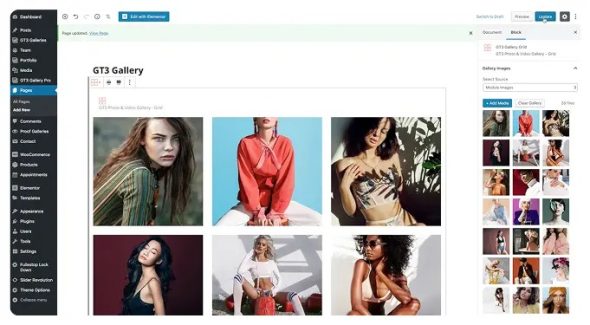
GT3 Photo & Video Gallery Pro is a WordPress photo and video gallery plugin designed for creating clean, responsive galleries in minutes. Customize the layout to match your site, showcase media smoothly, and improve on-page engagement for visitors. Add galleries to posts or pages with a simple workflow, helping content look more polished.
Description
GT3 Photo & Video Gallery Pro is a WordPress plugin for building beautiful photo and video galleries that look great on every screen size. It helps you solve the common problem of presenting media in a clean, organized layout without manually coding grids, sliders, or pop-ups. With WordPress page-building workflows, including Elementor, you can place galleries directly on pages and posts. This makes it easier to showcase portfolios, event moments, product visuals, or course content in a consistent, engaging way.
Main Features
- Mixed photo and video galleries — Create galleries that combine images and embedded video content in one layout.
- Responsive gallery layouts — Display your media in a grid or structured format that adapts to mobile, tablet, and desktop.
- Lightbox-style viewing — Open images and media in an overlay viewer for distraction-free browsing.
- Multiple gallery styles — Choose from preset presentation options to match your website’s look and feel.
- Elementor integration — Use an Elementor widget to add galleries through drag-and-drop editing.
- Shortcode insertion — Embed galleries into posts, pages, or custom layouts without relying on page-builder only.
- Captions and media labeling — Add context to each item so visitors understand what they’re viewing.
- Thumbnail and hover customization — Control how items appear and respond when users interact with the gallery.
Benefits
- Better UX for media — Visitors can browse photos and videos smoothly through a clear gallery structure and overlay viewing.
- Higher engagement — Interactive viewing encourages longer time on page and more clicks on media.
- Faster content publishing — Reusable gallery setups make it quicker to update portfolios, announcements, and project pages.
- More consistent branding — Layout and style options help keep galleries aligned with your theme and overall design.
- Improved SEO signals — Organized media presentation supports stronger on-page relevance and better content readability.
Who is it suitable for?
- Portfolio and creative studio websites
- Photography, videography, and event organizers
- WordPress blogs that publish media-heavy posts
- Agencies building client pages with Elementor
- WooCommerce stores showcasing product lifestyle imagery
- Online course or membership sites with lesson media libraries