Adminify Pro RoleMaster Suite 1.0.4
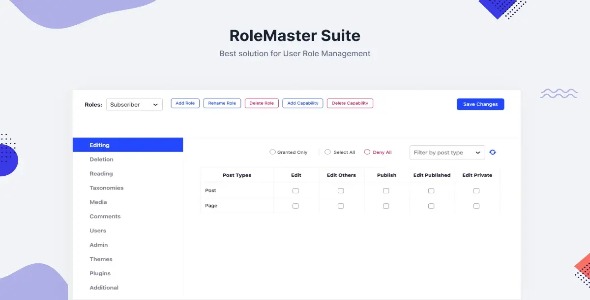
Adminify Pro RoleMaster Suite is a Wordpress plugin that delivers precise user role control and access management for membership sites. Enjoy a clear main benefit: granular permissions that boost security and user experience. Plus, quick setup and smooth integration with your existing WP tools make it the effortless choice.
Description
Adminify Pro RoleMaster Suite is a WordPress plugin built for precise user role control and access management on membership websites. It helps you define who can do what by using granular permissions tied to roles, reducing the risk of accidental overexposure. With RoleMaster Suite, you can keep member areas organized and ensure the right capabilities are available to the right users.
Instead of relying on broad, one-size-fits-all settings, this role management option gives you clearer control over user access. It’s designed to be quick to set up and to integrate smoothly with your existing WordPress workflow, so you can manage permissions without disrupting how your site is built.
Main Features
- Granular permission controls — Configure fine-grained access based on role capabilities.
- Advanced role management — Create and manage roles to match different membership levels and responsibilities.
- User access management — Apply permissions to users so each account can only perform what it’s allowed to.
- Membership-focused access rules — Support structured control for members versus non-members.
- Role-based capability mapping — Control actions by assigning capabilities per role instead of using generic defaults.
- Clear admin workflow — Centralize access settings in a way that’s easier to review and maintain.
- Quick setup — Get up and running with minimal configuration for common role scenarios.
- Works within WordPress user system — Leverages WordPress roles and capabilities for consistent behavior.
Benefits
- Stronger security — Limit access to reduce accidental permission leakage.
- Better user experience — Provide members with the right tools while avoiding confusion from blocked actions.
- Cleaner access governance — Make role changes easier to audit and keep aligned with membership rules.
- More consistent workflows — Ensure actions follow role-based permissions across your WordPress site.
- Faster setup — Establish role structures efficiently so you can launch or update membership access sooner.
Who is it suitable for?
- Membership website owners who need controlled member access.
- WordPress site administrators managing multiple user types.
- Content teams that require role-based editing and participation rules.
- Agencies building access-controlled WordPress projects for clients.
- Communities that separate roles (e.g., members, moderators, admins).
- Websites that want clearer permission management within WordPress.