Deskzai 2.7 – Customer Support System | Helpdesk | Support Ticket.
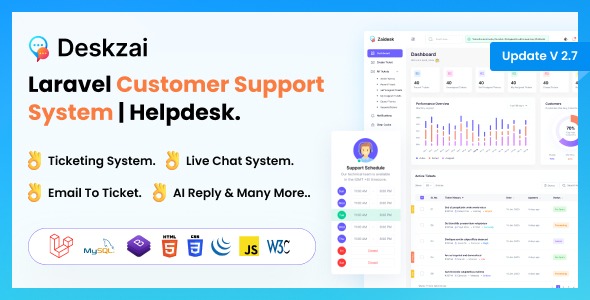
Deskzai is a robust WordPress-ready web-based customer support solution that streamlines inquiries with an AI-powered ticketing system, knowledge base, and collision detection. It delivers faster response times and improved team efficiency, plus seamless integration and clear analytics for actionable insights. Explore this scripting solution to elevate your support experience.
Description
Deskzai is a WordPress-ready PHP script customer support solution designed to streamline how inquiries are captured, organized, and resolved. It combines an AI-powered ticketing workflow with a knowledge base, helping teams move from question to answer faster. Built with Laravel, Deskzai supports practical helpdesk operations like business-hour rules, email-to-ticket conversion, and a user ticket portal. With analytics and ticket assignment, it also turns daily support activity into actionable visibility. Collision detection helps prevent overlapping agent responses, improving consistency across the team.
Main Features
- AI Ticketing Workflow — Uses AI to support faster handling of incoming requests and replies.
- Knowledge Base — Lets you create and maintain support articles that reduce repetitive questions.
- Business Hour Settings — Aligns support availability with your operational hours.
- Email to Ticket Conversion — Automatically turns customer emails into trackable tickets.
- User Ticket Portal — Provides a place for customers to view and manage their tickets.
- Analytics Reports — Tracks support performance for clearer decision-making.
- Ticket Assignment — Delegates tickets to the right team member for quicker resolution.
- AI Ticket Reply — Drafts responses to help agents respond more efficiently.
- Collision Detection — Prevents multiple agents from overwriting or duplicating responses.
Benefits
- Faster response times — AI-assisted replies and organized ticket intake reduce delays.
- Better agent efficiency — Ticket assignment and collision detection keep workflows smooth.
- Improved customer experience — The ticket portal and knowledge base make support easier to navigate.
- More consistent answers — Collision detection and shared articles reduce conflicting responses.
- Actionable reporting — Analytics reports highlight bottlenecks and performance trends.
Who is it suitable for?
- WooCommerce stores that need structured order and product support tickets.
- WordPress websites using Elementor for customer-facing help and forms.
- Agencies managing multiple client support workflows and ticket delegation.
- Online schools and course platforms handling recurring learner questions.
- SaaS products that rely on email and portal-based inquiry management.
- Content teams building searchable knowledge base articles for self-service.