Divi Image Accordion 1.4
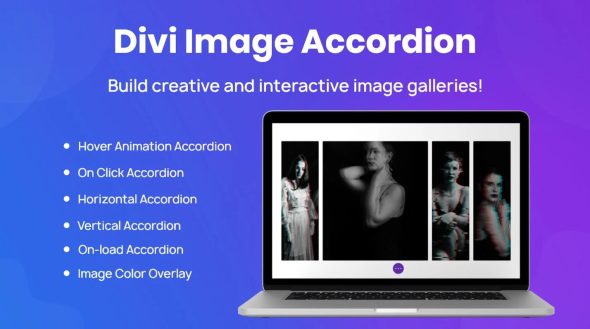
Divi Image Accordion creates interactive image galleries for WordPress, letting each image display its own icon, title, description, and CTA button with smooth hover or click animations. The main benefit is boosted engagement and clear storytelling with easy Divi integration and responsive layouts. Explore how this module can elevate your portfolio.
Description
Divi Image Accordion is a WordPress plugin module for creating interactive image galleries using the Divi builder. Instead of showing images as a simple grid, it lets you turn each image into a story panel with its own icon, title, description, and call-to-action button.
This helps solve the common problem of low engagement on portfolio, services, and showcase sections by giving visitors clear context and an obvious next step. With smooth hover or click animations and a responsive layout, it’s designed to work well across desktop and mobile screens.
Use it to highlight key items, features, or case studies in a way that feels structured, readable, and easy to update inside your Divi workflow.
Main Features
- Interactive image accordion/gallery — Organizes multiple images into revealable panels for guided browsing.
- Per-image icon — Adds a visual identifier to each accordion item.
- Custom title per image — Presents clear labels so visitors understand each item at a glance.
- Description per image — Includes supporting text that explains what the image represents.
- CTA button for each image — Enables a dedicated action tied to the selected panel.
- Hover animations — Reveals the item details with a pleasant hover effect.
- Click-to-reveal interactions — Supports opening panels on click for a clear, deliberate experience.
- Multiple image support — Lets you build richer galleries with several accordion sections.
- Responsive layout — Keeps the gallery readable and usable on smaller screens.
Benefits
- Better storytelling — Combines images, text, and CTAs into a structured narrative.
- Higher engagement — Animated hover and click interactions encourage visitors to explore more.
- Clearer UX — Panel-based reveals make content easier to scan than static galleries.
- Improved conversions — Context-specific buttons give users a relevant next step.
- Mobile-friendly experience — Responsive design helps maintain readability and usability across devices.
Who is it suitable for?
- Portfolio and creative agency websites
- Freelancers showcasing services or case studies
- Small business sites with product or project highlights
- Divi-based WordPress blogs and magazines
- Landing pages for campaigns or announcements
- Teams building content-forward showcases in the Divi builder