Product Condition for WooCommerce 1.1.0
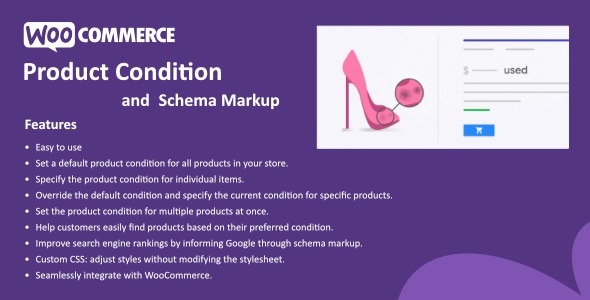
Product Condition for WooCommerce lets you assign a condition (new, used, like new, etc.) to all products with a single default, while per-item overrides keep listings precise. This WooCommerce plugin enhances accuracy and buyer trust with easy, scalable condition management and seamless integration. Explore how easy it is to set, switch, and showcase product condition today.
Description
Product Condition for WooCommerce is a WooCommerce plugin that helps you show accurate item conditions across your store. Instead of manually updating each listing, you can set a single default condition for all products (e.g., new, used, like new) and keep your catalog consistent.
When a specific product needs a different status, per-item overrides let you adjust the condition on the product level without affecting the rest of your site. This makes it easier to update and maintain product information while supporting buyer trust with clear, reliable condition display.
Main Features
- Global default condition — Assign one default condition to all products in your WooCommerce catalog.
- Per-product overrides — Set a unique condition for individual items when they differ from the default.
- Condition values — Use common condition options such as new, used, and like new to label products clearly.
- Consistent product display — Keep condition messaging uniform across your shop pages based on your settings.
- Easy setup — Configure the default and overrides through straightforward plugin settings.
- Scalable management — Apply changes across many products without repetitive edits.
- Precision for listings — Reduce mismatches by ensuring each product can reflect the correct condition.
Benefits
- More accurate listings — Correct condition data reduces errors and confusion on product pages.
- Better customer trust — Clear condition labeling helps buyers feel confident about what they are purchasing.
- Improved shopping clarity — Shoppers can quickly understand item status, supporting a smoother browsing experience.
- Less manual work — A single default plus overrides minimizes time spent updating product details.
- Faster catalog updates — Switch or adjust conditions without revisiting every product individually.
Who is it suitable for?
- WooCommerce stores with mixed inventory (new, used, refurbished, like new)
- Online shops that regularly update product statuses
- Agencies managing multiple WooCommerce websites or catalogs
- Electronics, second-hand, or returns-focused ecommerce businesses
- Merchants with large product catalogs that need consistent item labeling