Multichannel Contact Form for Elementor 1.0.7
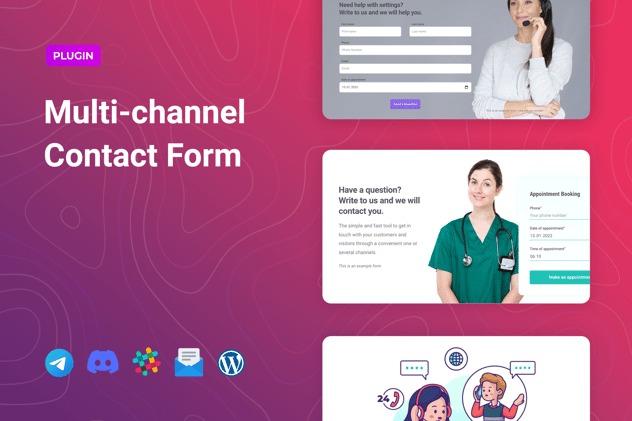
Multichannel Contact Form for Elementor lets you connect with visitors through email, phone, or social media with customizable forms that integrate seamlessly into Elementor. This WordPress addon delivers a seamless, centralized communication hub, boosting inquiries and conversions. Easy setup, flexible design, and reliable multi-channel reach—perfect to invite users to reach out and stay engaged.
Description
Multichannel Contact Form for Elementor is a WordPress plugin designed to help you capture and route visitor inquiries through multiple channels. It integrates directly with Elementor, so you can place contact forms inside your existing layouts without complex setup.
Instead of relying on a single contact method, it supports reaching users via email, phone, and social media links through customizable form options. This creates a centralized communication hub that encourages visitors to get in touch and keeps conversations organized on your site.
Main Features
- Elementor integration — Add multichannel contact forms directly within Elementor pages and templates.
- Customizable form fields — Adjust what visitors see so the form fits your use case and messaging.
- Email contact channel — Enable email-based inquiries for straightforward lead capture.
- Phone contact option — Provide a phone route so visitors who prefer calling can reach you quickly.
- Social media connectivity — Include social links to support follow-ups beyond email and phone.
- Flexible design controls — Match the form appearance to your site’s styling and layout.
- Centralized contact hub — Consolidate multiple ways to reach you in one place for a smoother visitor journey.
- Easy setup workflow — Get the form live with minimal configuration while keeping control in Elementor.
Benefits
- More completed inquiries — Offer visitors multiple ways to contact you, improving response rates.
- Better user experience — Reduce friction by letting visitors choose email, phone, or social based on preference.
- Cleaner communication flow — Centralize contact options so messages stay organized and easier to manage.
- Higher conversion intent — Capture engagement from users who are ready to reach out at different stages.
- Consistent site design — Keep forms aligned with Elementor layouts for a cohesive experience.
Who is it suitable for?
- WooCommerce stores looking to route customer questions more efficiently
- Service providers and local businesses using Elementor page layouts
- Agencies building client websites with reusable Elementor templates
- Blogs and content sites that want to convert readers into leads
- Online communities or membership sites that rely on direct outreach