Image Hover for Elementor 1.0.7
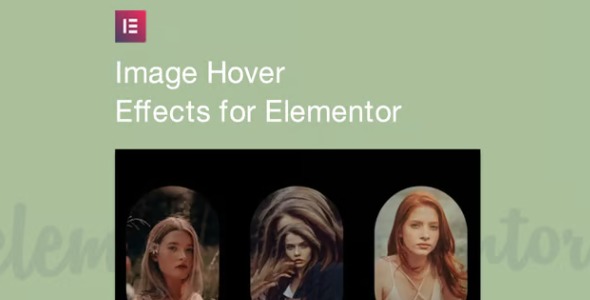
Image Hover for Elementor lets you add stunning hover effects to images with no coding. It helps your site captivate visitors and boost engagement by animating visuals as users mouse over content. Built for WordPress plugin use, it offers a variety of animations and easy customization to fit your style.
Description
Image Hover for Elementor is a WordPress plugin that adds interactive hover animations to images inside Elementor layouts, without requiring any coding. It solves the common problem of static visuals that don’t fully engage visitors or guide attention across key sections of your pages.
With this plugin, you can apply smooth effects when users move their cursor over images, helping your content feel more responsive and intentional. Use it to enhance banners, featured images, product highlights, portfolio cards, and other Elementor-driven sections.
The plugin focuses on easy customization, so you can match the hover style to your site’s design and keep your pages visually consistent while improving overall engagement.
Main Features
- Elementor image hover effects — Apply animation styles to images placed in Elementor widgets and sections.
- No-code setup — Configure hover behavior without editing theme files or writing custom CSS.
- Multiple animation options — Choose from a variety of hover effects to fit different layouts and aesthetics.
- Easy customization — Adjust the hover presentation to align with your brand styling and content needs.
- Interactive visual feedback — Animate images on mouse over to make browsing feel more engaging.
- Design-friendly usage — Use the effects to emphasize key content areas like thumbnails and featured media.
- Works with WordPress pages — Integrate into a WordPress workflow built around Elementor templates.
- Consistent presentation — Maintain a cohesive look across multiple image elements within the same page.
Benefits
- Higher engagement — Hover animations encourage users to interact with visual elements instead of scanning passively.
- Improved UX — Instant feedback on mouse over makes page interactions feel smoother and more intuitive.
- Better content emphasis — Highlight important images and cards to guide attention to key sections and calls-to-action.
- More captivating layouts — Visually dynamic media helps strengthen your page’s overall design and storytelling.
- Faster page iteration — Quick effect selection and customization reduce the time needed to refine Elementor designs.
Who is it suitable for?
- WooCommerce store owners using Elementor for product and category visuals.
- Freelance designers building Elementor pages and template kits.
- Marketing teams managing landing pages that rely on strong visual hierarchy.
- Blog and magazine sites that want more engaging featured image layouts.
- Portfolio sites showcasing work with interactive image cards.
- Small businesses improving their WordPress presentation without development work.