Rating Field for Contact Form 7 1.4.0
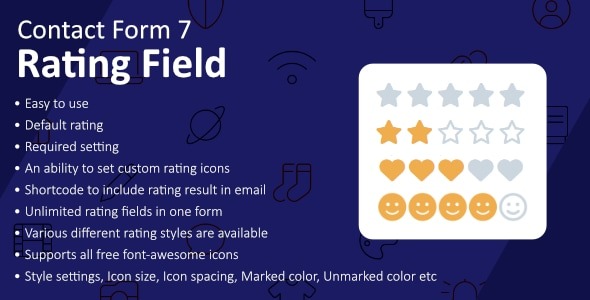
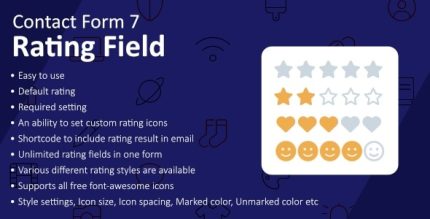
Rating Field for Contact Form 7 enables collecting user ratings via stars or icons in WordPress forms. It boosts engagement and social proof, turning feedback into actionable insights for products or services. With easy integration and flexible rating scales, it’s a smart, lightweight choice to improve conversions.
Description
The Rating Field for Contact Form 7 helps you collect user ratings in WordPress forms using stars or icons. Instead of simple text-only feedback, visitors can rate their experience with a clear visual scale. This plugin turns responses into actionable insights you can use to improve products and services.
Designed for straightforward integration with Contact Form 7, it fits easily into WordPress workflows and can be placed on pages built with popular page builders like Elementor. Ratings are commonly set up for 1–5 or 1–10 scales, making it useful for reviews, opinions, and contact feedback.
Main Features
- Contact Form 7 rating field — Adds a dedicated field to CF7 forms so users can submit a rating.
- Stars or icon ratings — Uses visual rating choices such as star sets or other icons.
- Configurable rating scale — Lets you set the number of steps (for example, one to five or one to ten).
- Captures ratings with submissions — Records the selected rating alongside the rest of the form data.
- Supports reviews and feedback — Collects opinions and ratings for products, services, or experiences.
- Flexible for different use cases — Works across many form scenarios where structured feedback is helpful.
- Lightweight form enhancement — Focuses on adding rating input without making the form workflow complex.
Benefits
- More engaging UX — Star or icon input makes it easier for users to share quick feedback.
- Higher-quality insights — Structured ratings are simpler to interpret than free-form text alone.
- Better conversion signals — Helps you understand satisfaction and intent at the moment users reach out.
- More consistent feedback — A fixed scale reduces ambiguity and improves comparison across submissions.
- Improved decision-making — Clear rating data supports prioritizing improvements to services and offerings.
Who is it suitable for?
- WooCommerce stores collecting product or service satisfaction
- Service providers using Contact Form 7 for client feedback
- Website owners who want review-style ratings on inquiry forms
- Agencies creating feedback funnels for multiple projects
- Blogs and content sites that gather audience opinions
- Online educators seeking structured ratings from learners