Range Slider Field for Elementor form 1.3.0
Description
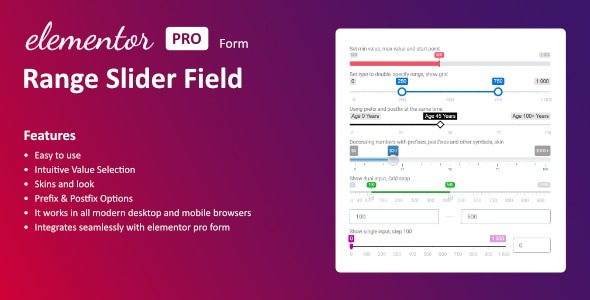
The Range Slider Field for Elementor form is a WordPress plugin that adds a sleek slider input to Elementor-powered forms. Instead of typing a value, visitors choose a number by moving a handle along a visual track. This solves the problem of unclear or error-prone manual inputs when you want users to select a value within a defined range. It also helps create a cleaner, more intuitive form experience that aligns with modern UX expectations. The field is lightweight and designed to fit seamlessly into Elementor form workflows.
As a range slider input field, it captures the selected value for use in your form data, making it practical for any site that needs precise range-based responses. With an easy setup inside Elementor, you can quickly add the slider where it makes sense and keep your form layout consistent.
Main Features
- Elementor form field integration — Add the slider directly inside Elementor forms.
- Range slider input — Visitors select a value by sliding a handle along a track.
- Defined value range — Configure the slider to operate within your chosen minimum and maximum.
- Precise value capture — Record the selected value from the slider for form processing.
- Sleek, clean UI — A modern slider control that keeps forms visually streamlined.
- Lightweight setup — Straightforward configuration to add the field without disrupting your layout.
- Consistent with Elementor styling — Designed to fit naturally within Elementor form sections and templates.
Benefits
- Better UX — Reduces typing and makes range selection easier for users.
- More accurate inputs — Helps users choose values within the intended span.
- Higher completion rates — A clearer interaction can improve form engagement.
- Cleaner form design — The slider keeps the interface organized and less cluttered.
- Faster form building — Quick setup inside Elementor reduces build time for range questions.
- Useful submission data — Captured slider values provide structured results for downstream use.
Who is it suitable for?
- Businesses using Elementor forms for lead capture with numeric range questions
- Websites that need a more user-friendly alternative to manual number fields
- Agencies creating form templates for multiple client projects
- Landing pages built with Elementor where UX and clarity affect engagement
- Service providers collecting preference ranges (e.g., budgets, sizes, durations)
- Content and community sites running Elementor forms for structured responses