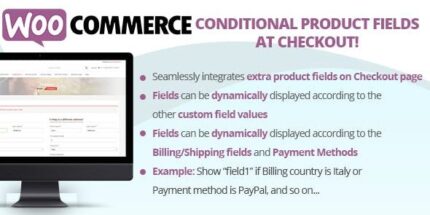
WooCommerce Conditional Product Fields at Checkout 6.6

Description
The WooCommerce Conditional Product Fields at Checkout plugin helps you extend the WooCommerce checkout experience by adding extra product-related fields at checkout. Instead of showing every field to every shopper, it uses logic-based rules to display fields only when specific conditions are met. This improves the relevance of what customers see, reducing confusion at the moment of purchase. With a visual editor, you can configure conditional logic without complex code, keeping setup aligned with typical WordPress and WooCommerce workflows.
It’s useful when you need to collect additional details tied to the products being purchased, while keeping the checkout layout clean. The plugin integrates into WooCommerce checkout so your field behavior stays consistent with your store’s checkout flow.
Main Features
- Additional checkout fields — Add extra fields to the WooCommerce checkout to capture more information per order.
- Conditional display logic — Show or hide fields dynamically based on configured rules.
- Visual rule editor — Build logic rules through an editor that does not require custom programming.
- Dynamic checkout experience — Fields update based on checkout conditions to keep the form focused.
- WooCommerce checkout integration — Designed to work directly within the WooCommerce checkout process.
- Flexible configuration — Create different field behaviors for different checkout scenarios using rule-based logic.
- Streamlined setup workflow — Configure conditional fields with a guided, user-friendly approach.
- Cleaner UX for customers — Reduces unnecessary inputs by limiting fields to only when needed.
Benefits
- Higher checkout completion — Fewer irrelevant fields can help shoppers finish the purchase flow.
- Better data accuracy — Collect the right information only when it applies, improving order completeness.
- More relevant UX — Customers see only the fields that match their checkout situation, improving usability.
- Conversion support — A more focused checkout experience can reduce friction and support better conversion rates.
- Reduced manual work — Conditional logic automates form behavior so you don’t need separate checkouts.
Who is it suitable for?
- WooCommerce store owners who need extra checkout details for certain products.
- Brands selling configurable or niche items that require conditional data collection.
- Website managers maintaining WordPress shops with frequent checkout form changes.
- Agencies building WooCommerce client projects with tailored checkout experiences.
- Businesses running catalogs where customers need different inputs based on their selections.
- Teams improving checkout UX to support conversions and reduce form friction.