WP Staging Pro 6.9.2 – WordPress Plugin for Site Cloning
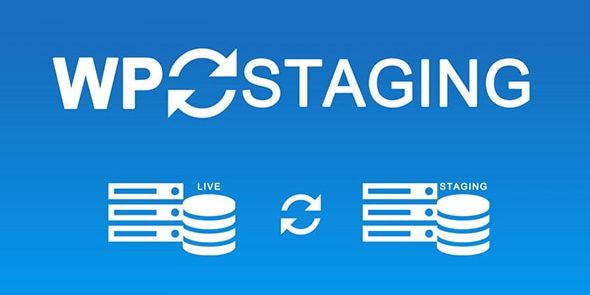
WP Staging Pro lets you clone your site and copy staging changes to live with confidence. Seamlessly copy DB and files from staging to live, exclude specific tables and folders, and safeguard user roles authentication, making deployments fast and reliable for WordPress.
Description
WP Staging Pro is a WordPress plugin that helps you clone your website into a staging environment so you can test updates safely. Instead of making changes directly on the live site, it lets you work in staging and then move only what’s needed when you’re ready to deploy.
It copies your site’s database and files from staging to live, while giving you control to exclude specific database tables and folders. The plugin also safeguards user roles authentication during the process, helping keep access behavior consistent after deployment. For teams using WordPress themes, plugin updates, or template adjustments (for example with Elementor), it supports faster, more reliable releases.
Main Features
- Site cloning to staging — Creates a staging copy of your WordPress site for testing changes.
- Copy DB & files to live — Transfers staging database content and site files to the live environment.
- Selective database exclusions — Exclude specific database tables from being copied.
- Folder exclusions — Prevent designated folders from moving to the live site.
- User roles authentication handling — Helps preserve user roles and authentication behavior after deployment.
- Deployment from staging workflow — Uses the staging environment as the source of truth for changes.
- Faster release process — Reduces manual steps when pushing changes live.
- WordPress-focused setup — Built to work with common WordPress site structures and content.
Benefits
- Safer testing — Clone first, then deploy only when staging looks correct.
- Controlled updates — Exclude tables and folders to avoid overwriting data you want to keep live.
- Consistency for access — Better preservation of user roles and authentication after updates.
- Lower risk of disruption — Deployment is based on a known staging state, helping reduce surprises.
- More efficient releases — Streamlines moving DB and files compared to manual syncing.
Who is it suitable for?
- WooCommerce stores managing frequent product and checkout-related updates.
- WordPress site owners testing theme or plugin changes before going live.
- Agencies handling multiple client websites with staged deployments.
- Developers rebuilding pages or layouts using Elementor and WordPress templates.
- Content teams updating posts and site structure while minimizing downtime risk.