
Password Protected Categories 2.1.30 – Barn2 Media
Description
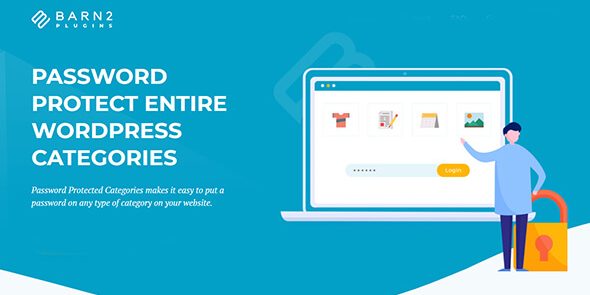
Password Protected Categories is a WordPress plugin that lets you password protect any category or custom taxonomy on your site. It helps you keep posts, products, events, portfolios, and other category-based content private without removing it. Instead, visitors see the normal category structure while access to the protected archives is gated with a password. This solves the common problem of exposing unwanted content through category pages and taxonomy listings.
With granular control over taxonomy visibility, the plugin is useful for building private sections—such as password-protected blog categories, hidden e-commerce categories, or restricted event listings—while keeping your WordPress navigation and page structure intact. It works smoothly with existing themes and templates so your site’s browsing experience remains consistent.
Main Features
- Password protect WordPress categories — Secure category archive pages with a password.
- Protect custom taxonomies — Add protection to any taxonomy you register in WordPress.
- Lock entire category archives — Keep all posts, products, or items within a category behind the same gate.
- Make categories completely private — Prevent unauthorized users from viewing protected category content.
- Support multiple content types — Protect blog posts, WooCommerce product categories, events, portfolios, and more.
- Granular access control — Choose which categories or taxonomies require a password.
- Preserve site structure — Maintain category and taxonomy URLs so navigation stays familiar.
- Simple setup — Protect categories directly from the WordPress admin with minimal configuration.
Benefits
- Stronger privacy — Password gates reduce accidental exposure of sensitive content.
- Better UX — Visitors experience normal browsing paths while protected areas remain controlled.
- Clear organization — Users can discover protected categories without seeing the underlying items.
- Improved conversions — Keep intended products or event listings exclusive, encouraging deliberate sign-in-like access.
- SEO-friendly structure — Retain category archive pages instead of removing or reshuffling content.
Who is it suitable for?
- Private blogs and writers sharing select posts by category
- WooCommerce stores hiding specific product categories or collections
- Websites running password-protected event listings
- Agencies managing portfolios or client-specific taxonomy groups
- Course, community, or membership-style WordPress sites needing category-level privacy
