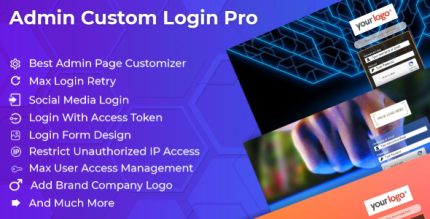
Weblizar Admin Custom Login Pro 6.5

Weblizar Admin Custom Login Pro lets you tailor the WordPress login page to match your brand with customizable size, colors, fonts, and background. Secure, anti-bot login with ReCaptcha v2/v3 and anti-spam protection, plus social login for instant sign-up and access to the admin dashboard. A flexible WordPress plugin designed for seamless, branded authentication.
Description
Weblizar Admin Custom Login Pro is a WordPress plugin that helps you tailor the admin login page to match your brand. Instead of using a default login screen, you can adjust the login form layout and styling so it fits your site’s design language. This is useful when you want a consistent user experience across your WordPress and WooCommerce touchpoints.
The plugin also strengthens access by adding Google reCAPTCHA v2 and v3 protection to reduce bot-driven attempts, spamming, and abuse on the login page. It includes social login so users can sign up and sign in quickly, with direct access to the WordPress admin dashboard.
Main Features
- Admin login page customization — Update the login page to align with your site’s branding and layout.
- Custom login form styling — Control size, colors, and typography to improve visual consistency.
- Background and visual options — Choose background color and related design settings for a tailored look.
- Flexible login page options — Enable a range of settings to shape the login form experience.
- Google reCAPTCHA v2 support — Use reCAPTCHA v2 to deter automated login attempts.
- Google reCAPTCHA v3 support — Apply reCAPTCHA v3-based protection for lower-friction verification.
- Anti-spam and anti-abuse protection — Help prevent misuse targeted at the login form.
- Social login — Allow one-click sign-up and sign-in tied to WordPress admin access.
Benefits
- Branded authentication — A login page that reflects your identity improves trust and consistency.
- Fewer failed attempts — reCAPTCHA v2/v3 helps reduce bot traffic hitting the login endpoint.
- Lower spam risk — Anti-spam measures help keep login screens cleaner and more reliable.
- Faster user access — Social login supports quicker sign-up and sign-in flows to the admin dashboard.
- Better user experience — Clear styling and configurable layout can make authentication feel simpler.
Who is it suitable for?
- WooCommerce store owners managing customer and admin access
- Website owners who want a branded WordPress admin login experience
- Agencies building multiple WordPress client sites
- Content platforms with frequent logins and user onboarding
- Membership or community projects using WordPress admin workflows