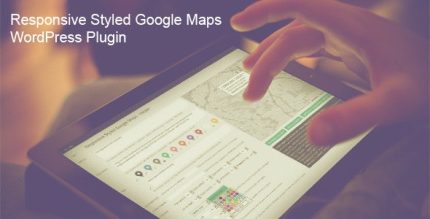
Responsive Styled Google Maps 5.1 – WordPress Plugin

Responsive Styled Google Maps is a WordPress plugin that makes creating beautiful, responsive maps effortless with multiple markers and pages. Includes a shortcode builder and 50 colorful styles for quick customization, delivering a fast, user-friendly map experience that boosts local navigation.
Description
Responsive Styled Google Maps is a WordPress plugin designed to help you build beautiful, responsive Google Maps without complex setup. It solves the common problem of getting map layouts to look good on all screen sizes while still being easy to manage in WordPress posts and pages. You can add multiple markers for key locations, and even place multiple maps on a single page. With a shortcode builder and 50 colorful pre-made styles, you can customize the map look quickly and keep your content organized. The result is a smoother local navigation experience that fits naturally into your existing WordPress workflow.
Main Features
- Responsive map layouts — Automatically adapts the map display to different screen sizes for a consistent experience.
- Multiple markers per map — Add several points of interest within the same map to highlight important locations.
- Multiple maps per page — Insert more than one Google Map on a single WordPress page.
- Shortcode builder — Create and configure maps using a built-in interface, then place them via shortcode.
- 50 colorful map styles — Choose from a wide set of predefined styles to match your site’s visual theme.
- Styled Google Maps rendering — Apply styling options to shape the overall look of the map view.
- Easy insertion in content — Works directly in WordPress pages and posts where you want the map to appear.
- Quick customization flow — Set up maps fast by pairing shortcode building with ready-to-use style presets.
Benefits
- Better local discovery — Multiple markers make it easier for visitors to find the locations you highlight.
- Improved UX — Responsive design helps maps stay usable and readable on mobile, tablet, and desktop.
- Faster content creation — Shortcode builder and style presets reduce setup time for new map sections.
- More consistent branding — Curated map styles help align Google Maps visuals with your site’s look.
- Flexible page layouts — Support for multiple maps per page makes it simple to structure location content.
Who is it suitable for?
- Local business websites with multiple locations
- Directory and listings pages that need map-based navigation
- Real estate or venue pages showing several addresses
- Agencies maintaining multiple client WordPress sites
- Travel and community sites with curated points of interest