WP Jobs Board 1.4.1 – Ajax Search and Filter WordPress Plugin

Description
WP Jobs Board is a WordPress plugin for building a dedicated jobs platform using shortcode-based job listings and filters. It helps solve the common “where are the jobs?” problem by letting applicants quickly browse opportunities on your site—without leaving WordPress. Instead of manually maintaining job categories, you configure filters and place them wherever you need results. It’s a practical fit for job boards created with WordPress, including pages assembled with Elementor and common theme templates.
The plugin also supports location discovery through the Google Maps API, enabling searches by location and radius. Employers can publish openings directly from the front end using a simple form shortcode, streamlining the path from posting to applications. With flexible shortcode customization and straightforward setup, WP Jobs Board keeps job browsing and submission clear for both visitors and employers.
Main Features
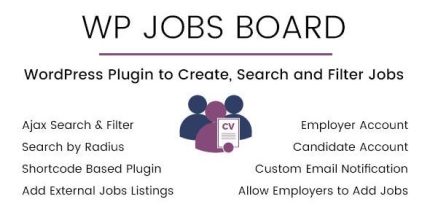
- Shortcode-based job board — Add job listings and functionality to any WordPress page using plugin shortcodes.
- Customizable filters — Create and adjust filtering options to match your jobs category or search needs.
- Google Maps location search — Use the Google Maps API to search jobs by location.
- Radius filtering — Narrow results by distance around a selected location for more relevant browsing.
- Employer job posting — Enable front-end job submissions with the shortcode [wpjb-add-job-form].
- Employer account access — Limit job posting to users registered with the “Employer” account type.
- Works across WordPress layouts — Use shortcodes in standard page builders and theme template areas.
Benefits
- Effortless discovery — Visitors find relevant roles faster with shortcode filters and location/radius search.
- Better user experience — Clear browsing improves engagement by reducing time spent searching.
- More qualified applications — Location-based results help applicants apply to nearby opportunities.
- Streamlined employer workflow — Front-end job forms reduce back-and-forth posting effort.
- Stronger site organization — Filterable listings keep job content easier to navigate and manage.
Who is it suitable for?
- WooCommerce store or business sites that want an internal careers/jobs page.
- Recruitment agencies and HR teams building a WordPress job board.
- Job platforms and community websites that need location-based job discovery.
- Agencies using Elementor to publish filtered job listings on marketing pages.
- Content platforms that want structured job opportunities by category and location.
- Employers and hiring teams managing multiple roles with front-end submissions.