Countdown for Elementor 1.0 – WordPress Plugin
Countdown for Elementor lets you drop stylish countdowns in one click, with 3 types and 3 styles to match any campaign, boosting urgency and conversions with customizable colors, backgrounds, and 200+ animation effects. Multiple countdowns per page and translation-ready (.po/.mo) make it easy to scale across your site. This WordPress plugin invites you to explore accessible, high-converting countdowns today.
Description
Countdown for Elementor is a WordPress plugin that helps you add countdowns to your pages using Elementor with a one-click setup. It’s designed to solve the common need to communicate urgency for campaigns, launches, and limited-time offers without complex styling work. The plugin supports multiple countdowns per page, so you can align timing for different sections or products. With customizable colors and background colors, plus responsive behavior, your countdowns stay consistent across devices. You also get 200+ animation effects to match your site’s visual style, while translation-ready files (.po/.mo) help you scale content across languages.
Main Features
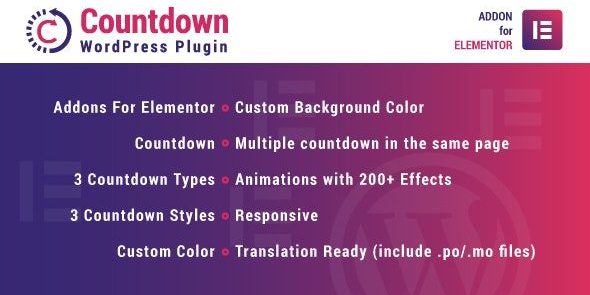
- Addons for Elementor — Integrates directly with Elementor to place countdown elements in your layouts.
- 3 countdown types — Choose the countdown format that fits your campaign goal.
- 3 countdown styles — Apply predefined visual treatments to match your theme and landing page design.
- Custom color — Set colors to coordinate typography and emphasis with your brand.
- Custom background color — Adjust the countdown backdrop for better contrast and readability.
- Multiple countdowns per page — Use more than one countdown within the same page design.
- 200+ animation effects — Add motion to draw attention with a wide selection of animation options.
- Responsive — Ensures the countdown presentation works well on mobile, tablet, and desktop.
- Translation ready (.po/.mo) — Supports localization for multilingual WordPress sites.
Benefits
- Stronger urgency — Countdown formats and styles help visitors recognize time-sensitive offers faster.
- Better visual UX — Custom colors, background colors, and animations improve focus and legibility.
- More conversion opportunities — Clear timing cues can support higher click-through and conversion intent.
- Consistent branding — Styling controls make it easier to match countdowns to your WordPress theme and Elementor design.
- Faster content scaling — Translation-ready .po/.mo files support multi-language rollout across pages.
- Flexible page layouts — Multiple countdowns per page make it easier to structure different offers in one template.
Who is it suitable for?
- WooCommerce store owners promoting limited-time deals.
- Marketing teams building landing pages in Elementor.
- WordPress agencies creating campaign templates for clients.
- Content creators running event or registration deadlines.
- Multilingual websites needing translation-ready countdown content.
- Online businesses planning product launches and scheduled promotions.