Instagram Widget 2.2.3 – Instagram for WordPress

Description
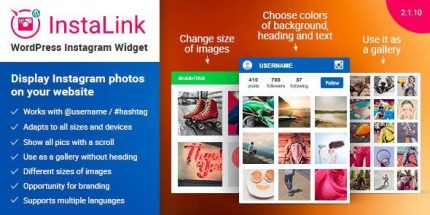
Instagram Widget is a WordPress plugin that adds a responsive Instagram gallery to your site, pulling photos by username or by hashtag inside a widget area or via shortcode.
It helps solve the common problem of “social content that doesn’t fit neatly on the page,” by presenting your feed in a clean, retina-ready layout that adapts to any screen.
With Elementor, WordPress theme templates, and common widget placements, you can integrate it into landing pages, blogs, portfolios, and shop pages without disrupting layout.
The gallery is lightweight and mobile-friendly, encouraging visitors to browse your Instagram content directly from your website.
You can also reuse the plugin settings across the site to create different embeds for different audiences or topics.
Main Features
- Username or hashtag sourcing — Display images from a specific Instagram account or from selected hashtags.
- Responsive WordPress widget — Automatically adapts the Instagram grid to different screen sizes and resolutions.
- Retina-ready gallery — Optimized visuals for high-resolution displays.
- Unlimited embeds per page — Place multiple Instagram widgets on the same page with different settings.
- Turn header on/off — Control whether the widget header is shown.
- 4 image size options — Choose small, medium, large, or xlarge for the feed layout.
- Smooth scroll loading — Load and browse images as visitors scroll for a more fluid experience.
- Link to Instagram profile — Include a button that points users to your Instagram ID page.
- Custom UI colors and styling — Adjust colors and presentation to match your theme using HTML and CSS.
- Multi-language support — Available in 16 languages for a broader audience.
Benefits
- More engagement — Visitors can explore your Instagram content without leaving the page, increasing interaction.
- Higher follower growth — Consistent, visible social proof supports stronger follow intent.
- Better on-site UX — Mobile-friendly, responsive layout improves usability across devices and reduces friction.
- Flexible content targeting — Username or hashtag feeds help you highlight the right posts for different site sections.
- Easier integration — Works as a WordPress widget or shortcode, fitting common WordPress and Elementor workflows.
- Improved page experience — Scroll-based loading and configurable visuals help keep pages feeling faster and cleaner.
Who is it suitable for?
- WooCommerce stores and product pages that want to showcase social content alongside shopping
- WordPress blogs looking to strengthen readership engagement with Instagram visuals
- Creative portfolios and agencies that need a gallery for case studies and media
- Content creators managing a main Instagram profile and topic-based hashtag feeds
- Local businesses and brands running theme or template-driven websites
- Community sites and online schools that highlight updates through Instagram