Swift Control Pro 1.4.13
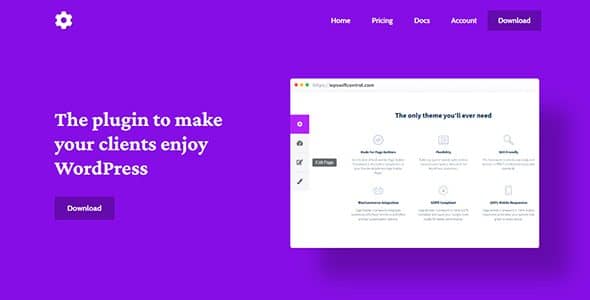
Swift Control Pro is a WordPress plugin that replaces the Admin Bar with a simple, intuitive panel, helping clients navigate WordPress faster and access key areas like Edit Page, Customizer, and Dashboard in seconds. Enjoy a smoother, more productive user experience with a lightweight design and seamless integration that makes WordPress feel effortless. Explore it now.
Description
Swift Control Pro is a WordPress plugin that replaces the standard Admin Bar with a simpler, more intuitive control panel for your clients and team. Instead of hunting through WordPress menus, users can reach key areas of the site in seconds. It’s designed to improve day-to-day navigation inside the WordPress dashboard while keeping the interface lightweight and easy to understand.
With quick access to actions like Edit Page, the WordPress Customizer, and the Dashboard, Swift Control Pro helps make WordPress feel more effortless—especially for non-technical users who need to manage content regularly.
Main Features
- Admin Bar replacement — Removes the default WordPress Admin Bar and swaps in a dedicated control panel.
- Simple navigation panel — Provides a clean, intuitive interface focused on the most-used destinations.
- Quick access to Edit Page — Helps users jump directly to editing the content they need.
- One-click access to Customizer — Lets users open the WordPress Customizer without extra steps.
- Instant Dashboard shortcuts — Provides fast movement back to the main WordPress Dashboard.
- Client-friendly workflow — Makes common tasks easier for users who manage sites but don’t know the backend layout.
- Lightweight design — Stays unobtrusive to keep the WordPress admin experience efficient.
- Seamless WordPress integration — Works within the existing WordPress admin area and user flow.
Benefits
- Faster navigation — Reduces time spent clicking through menus by centralizing key actions in one panel.
- Better UX for clients — Creates a clearer editing and management experience for non-technical users.
- Improved workflow — Quick entry points to Edit Page, Customizer, and Dashboard support smoother content updates.
- Lower friction in the admin — A lightweight interface helps keep the back end responsive and easy to use.
- More consistent usage — Guides users toward the same essential areas, improving overall site management routines.
Who is it suitable for?
- WordPress site owners and editors who want simpler backend navigation
- Web agencies supporting multiple client WordPress sites
- Teams managing content updates with repeated editing and customization tasks
- Designers and content teams who frequently use the WordPress Customizer
- Webmasters onboarding new users who need an easier admin experience