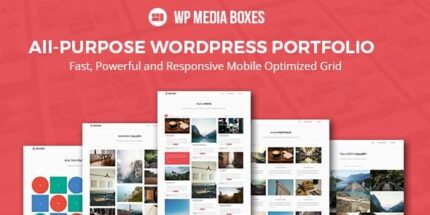
WP Media Boxes Portfolio 1.5.5

WP Media Boxes Portfolio is a powerful WordPress portfolio plugin that lets you showcase posts, media, clients, and galleries in a flexible grid. It delivers a sleek, responsive design and easy content management, helping you attract more visitors with visually engaging layouts. Perfect for portfolios and media-driven sites—start building stunning grids today.
Description
WP Media Boxes Portfolio is a WordPress portfolio plugin designed to showcase your content in a flexible grid layout. It helps you present posts, media, clients, portfolios, and galleries with a clean, modern look that’s ready for different screen sizes.
If your site needs a more visually engaging way to display work and updates, this plugin streamlines content management by organizing your items into attractive media boxes. The result is a smoother browsing experience for visitors and a clearer way to highlight what matters on your WordPress site.
Main Features
- Flexible grid layouts — Display multiple types of items in a structured grid format.
- Multi-content portfolio display — Showcase blog posts, portfolios, media, clients, and galleries.
- Responsive presentation — Keep the layout readable and visually consistent across devices.
- Media box styling — Use a dedicated box-based design to present content attractively.
- Easy content management — Organize and update showcased items from your WordPress workflow.
- Client and portfolio sections — Highlight client work, featured projects, or collections in one place.
- Gallery-ready layouts — Present image and media collections without needing complex page building.
- Works with existing site content — Build sections using your current WordPress materials.
Benefits
- Better engagement — Visually structured grids encourage visitors to explore more items.
- Improved UX — Responsive media boxes make browsing easier on mobile, tablet, and desktop.
- Clearer content hierarchy — Dedicated portfolio and client sections help users find relevant work quickly.
- Higher conversions — Presenting projects and galleries in an organized way supports stronger calls to action.
- Faster publishing — Manage updates in WordPress without rebuilding page layouts each time.
Who is it suitable for?
- Designers and creative portfolios
- Photography and media-focused websites
- Freelancers showcasing client work
- Agencies managing multiple project categories
- Bloggers who want a visual content gallery