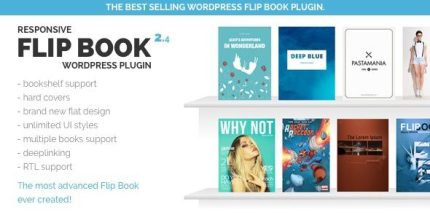
Responsive FlipBook Plugin 2.5.0

Responsive FlipBook Plugin turns PDFs into interactive flipbooks for WordPress, with bookshelf, zoom, lazy load, and print/PDF extensions. It delivers a smooth, immersive reading experience and boosts engagement, thanks to fast loading and customizable styles. A clear win for showcasing catalogs, manuals, or portfolios with ease. Type: WordPress plugin.
Description
The Responsive FlipBook Plugin is a WordPress plugin that turns PDF files into interactive, responsive flipbooks. It helps you solve the “static document” problem by presenting catalogs, manuals, and portfolios as immersive pages visitors can navigate comfortably on mobile and desktop.
Built for smooth reading, the plugin includes a bookshelf-style viewer, zoom and pop-up viewing, lazy load for faster page performance, and customizable styles. With extensions for PDF-to-flipbook creation and printing, it streamlines how you publish and reuse document content in Elementor-friendly WordPress layouts.
Main Features
- PDF To FlipBook Extension — Convert PDF documents into flipbook format inside WordPress.
- Bookshelf viewer — Display flipbooks in an organized bookshelf layout for easy browsing.
- Zoom support — Let readers zoom into pages for better readability.
- Pop-up mode — Open flipbooks in a pop-up experience without leaving the page.
- Table of content — Provide navigation via a document table of contents.
- Hard covers & flat design — Offer cover styles and a clean visual presentation.
- Custom styles — Adjust the look and feel to match your website’s branding.
- Lazy load — Load flipbook content efficiently to improve perceived speed.
- Print FlipBook Extension — Support printing using a PDF-based flipbook output.
Benefits
- More engaging document viewing — Interactive page navigation encourages longer, more attentive reading.
- Improved usability — Zoom and table of contents make large documents easier to scan and understand.
- Faster page experiences — Lazy loading helps reduce delays when flipbooks are embedded on pages.
- Consistent presentation — Custom styles, hard covers, and flat design keep documents visually aligned with your site.
- Flexible publishing — Pop-up and bookshelf layouts fit multiple page types, from landing pages to galleries.
Who is it suitable for?
- WooCommerce stores showcasing product catalogs or manuals.
- Websites using Elementor to embed interactive document content.
- Agencies creating portfolio and case study flipbooks for clients.
- Online businesses publishing searchable guides, specs, and brochures.
- Educational platforms sharing course materials and student handbooks.
- Freelancers and creators presenting downloadable work in an interactive format.