
WooCommerce Default Quantity 2.2.2 – Barn2 Media
Description
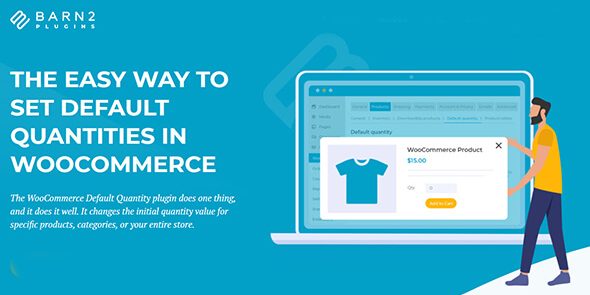
WooCommerce Default Quantity is a WooCommerce plugin for WordPress that lets you control the initial quantity shoppers see before they add items to the cart. Instead of relying on a one-size default, it allows you to set the starting quantity for individual products, selected categories, or your entire store. This solves the common issue of customers having to manually adjust quantities for items that always start with a specific amount. By keeping those defaults consistent across your catalog, it reduces friction during shopping and helps buyers move forward with fewer interruptions.
Whether you manage a single storefront or a larger WooCommerce catalog, this plugin provides a straightforward way to align on-page quantity behavior with how your products are typically purchased.
Main Features
- Set default quantity for products — Choose the initial quantity value for specific WooCommerce products.
- Set default quantity for categories — Apply an initial quantity to products within designated product categories.
- Set default quantity store-wide — Define a baseline initial quantity for your entire WooCommerce store.
- Adjust the initial quantity value — Changes the starting quantity customers see when selecting items.
- Flexible targeting — Manage defaults at the product level, category level, or global level.
- Consistent defaults across the catalog — Keeps quantity behavior uniform for easier decision-making.
- Time-saving configuration — Helps you avoid repetitive manual quantity setup across many listings.
- Lightweight WooCommerce integration — Designed to work cleanly within a standard WooCommerce setup.
Benefits
- Lower cart friction — Customers spend less time correcting quantities before proceeding.
- Better UX — The right starting quantity is shown automatically, reducing form adjustments.
- More consistent ordering — Ensures a predictable quantity baseline across products and categories.
- Higher conversions potential — Smoother quantity selection can reduce drop-offs during checkout.
- Catalog-wide control — Global or targeted defaults let you match your purchasing expectations quickly.
Who is it suitable for?
- WooCommerce stores that want preset quantities for specific products
- Shops with category-based buying patterns (e.g., items commonly purchased in a set amount)
- Store owners managing a large WooCommerce catalog and wanting consistent defaults
- Agencies maintaining multiple WordPress + WooCommerce sites
- Merchants aiming to streamline cart and checkout interactions
