WPBot Chatbot 13.7.0
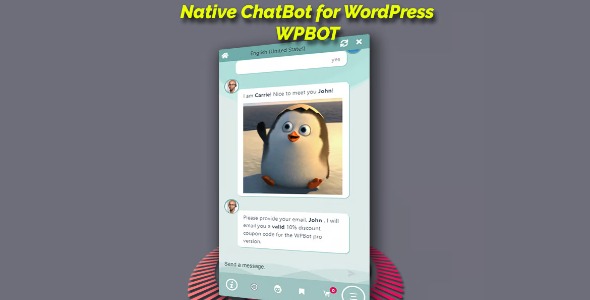
WPBot Chatbot is a native Wordpress plugin that engages visitors with fluent conversations, captures leads, and boosts conversions. It powers seamless lead collection, feedback, and on-site retargeting from the backend, delivering higher satisfaction and results. A plug‑and‑play solution with easy setup, smart responses, and omnichannel messaging to grow your audience.
Description
WPBot Chatbot is a native WordPress plugin that engages visitors through fluent on-site conversations. It helps solve common conversion and support gaps by answering questions, collecting leads, and guiding users while they browse.
With a plug-and-play setup, WPBot lets you create smart bot responses from the WordPress backend, build conversational forms, and capture emails, feedback, and phone numbers. It also supports on-site retargeting to present relevant offers at the right moment.
Designed to work with common messaging channels, WPBot can be integrated with tools like Messenger and WhatsApp, and it can connect conversational experiences to platforms such as OpenAI and DialogFlow.
Main Features
- Native WordPress chatbot — Runs directly as a WordPress plugin for on-site visitor conversations.
- Backend response builder — Create and manage bot replies from the WordPress dashboard.
- Website Q&A interactions — Supports searching site content to answer visitor questions.
- Lead collection fields — Collect emails, phone numbers, and other key details during chats.
- Conversational forms — Turn common data requests into chat-based form flows.
- Feedback capture — Gather user feedback to understand needs and improve experiences.
- Messaging channel integrations — Connect with Messenger and WhatsApp for omnichannel engagement.
- AI and DialogFlow support — Integrate with OpenAI and DialogFlow for richer conversational flows.
- On-site retargeting & exit intent — Show targeted offers, email subscriptions, and messages when users are about to leave.
Benefits
- Higher conversions — Retargeting and chat guidance help visitors take action without leaving the page.
- Better lead capture — Collecting emails and phone numbers directly from conversations increases usable audience growth.
- Improved customer satisfaction — Instant answers and feedback collection reduce frustration and repeat questions.
- Enhanced UX — Conversational forms streamline data entry and keep users engaged.
- More effective engagement — Omnichannel messaging supports users on the platforms they already use.
Who is it suitable for?
- WooCommerce stores looking to improve product and lead inquiries from the site.
- Business websites that need instant FAQ-style support during browsing.
- Agencies managing multiple client WordPress projects and templates.
- Content creators and landing page owners who want email subscriptions via chat.
- Online services that collect customer details and feedback to refine offerings.
- Teams integrating chat experiences across Messenger, WhatsApp, and AI platforms.