File Manager 7.5.6 – Plugin For WordPress

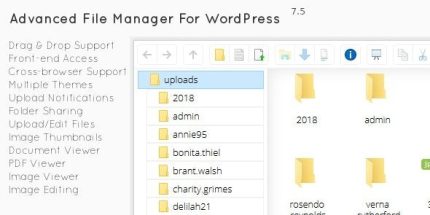
File Manager is a Wordpress file manager plugin that lets you view, edit, and create files in WordPress folders and sub-folders. Its Windows-style GUI and right-click shortcuts make management fast and beginner-friendly, with built-in image editing. A sleek, easy-to-use tool that boosts control and workflow—explore it today, Type: Wordpress.
Description
File Manager is a WordPress file manager plugin that helps you manage site files directly inside the WordPress folders and sub-folders. It lets you view, edit, and create files without switching to an external FTP/SFTP workflow.
With a Windows-style GUI and right-click context menu shortcuts, the plugin streamlines day-to-day file tasks and reduces friction for new users. It also includes built-in image editing, so you can handle common media updates in the same interface.
Main Features
- View files in WordPress folders — Browse files within the WordPress directory and its sub-folders.
- Edit existing files — Make text-based updates directly from the file manager interface.
- Create new files — Add new files in the correct folder without external tools.
- Windows-style GUI — Use a familiar layout that supports faster navigation.
- Right-click context menu shortcuts — Access common actions quickly with a built-in menu.
- Beginner-friendly workflow — Keep file management straightforward with a simple, elegant interface.
- Built-in image editing — Perform basic image edits while working with media files.
- Folder-based organization — Work with files in a structured folder tree to maintain clarity.
Benefits
- Faster file updates — Shortcuts and a familiar interface reduce time spent on routine changes.
- Improved workflow control — Manage files where they belong, directly in WordPress folders.
- Better UX for non-technical users — An approachable GUI helps beginners complete tasks more confidently.
- Reduced tool switching — Edit and create files without alternating between WordPress and external FTP clients.
- Streamlined media maintenance — Built-in image editing supports quicker updates to image assets.
Who is it suitable for?
- WordPress site owners who want direct file control
- Beginner bloggers and small business websites
- Web agencies managing multiple WordPress projects
- Content creators updating site assets regularly
- Developers who prefer an in-dashboard file manager for quick edits