Timeline for Elementor 1.0.4 – WordPress Plugin

Description
Timeline for Elementor is a WordPress plugin that helps you present content in clean, elegant timeline formats using Elementor. It solves the problem of making chronological or step-based information harder to scan by turning posts and updates into structured storytelling. With this addon, you can add timelines to pages and posts without leaving the Elementor workflow. The result is more engaging layouts that remain flexible for different site structures, including custom content types and sticky posts.
Designed for modern themes and responsive layouts, Timeline for Elementor also includes animation options and translation-ready files. Whether you’re building a portfolio narrative, a release history, or a content hub, it helps improve content clarity and user interaction across devices.
Main Features
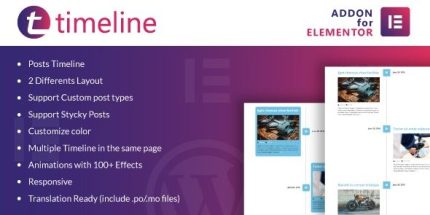
- Elegant timeline display — Showcase content in a structured timeline format for clearer storytelling.
- Two layout options — Choose between different timeline layouts to match your page design.
- Custom post type support — Build timelines from WordPress custom post types, not just standard posts.
- Sticky posts support — Keep featured or pinned content visible within the timeline ordering.
- Color customization — Adjust timeline colors to align with your theme and Elementor styling.
- Multiple timelines on one page — Add more than one timeline block to the same page when needed.
- 100+ animation effects — Apply a wide range of animations to enhance engagement.
- Responsive behavior — Ensure timelines display correctly on mobile, tablet, and desktop.
- Translation-ready files — Use .po/.mo files to localize timeline text for multilingual sites.
Benefits
- Better content clarity — Turn updates, steps, and histories into an easy-to-follow visual flow.
- Improved engagement — Use animation and layout choices to encourage users to explore content.
- More flexible publishing — Support for custom post types and sticky posts helps you organize site content accurately.
- Consistent branding — Color controls help timelines match your WordPress theme and Elementor design.
- Stronger UX across devices — Responsive layouts maintain readability and usability on any screen size.
Who is it suitable for?
- WooCommerce and content sites that need timeline-style product or company updates
- Blogs and news pages using Elementor to organize chronological posts
- Agencies building custom Elementor pages for multiple clients
- Websites using custom post types for structured storytelling
- Multilingual WordPress projects that require translation-ready interface text