WP Frontend Auth 2.0.3

Description
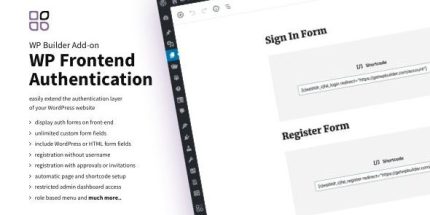
WP Frontend Auth is a WordPress plugin that extends your authentication layer by bringing common account actions to the front end of your site. Instead of relying only on the default wp-admin pages, it renders Login, Register, Edit Profile, and Reset Password forms where visitors already browse your content.
It streamlines onboarding and improves user experience by working seamlessly with the WP Form Builder and WP Social Login add-ons. With WP Form Builder, you can customize registration and profile editing using unlimited form fields, with submitted data saved in the user_meta table.
With WP Social Login, visitors can sign in and register through 73 popular social networks, giving you a faster, more flexible access flow that fits modern site UX expectations.
Main Features
- Front-end Login form — Displays a login interface directly on your website pages.
- Front-end Registration form — Provides a user registration experience without sending visitors to the WordPress back end.
- Edit Profile form on the front end — Lets users update their account details from a dedicated front-end screen.
- Reset Password form — Enables password recovery through a front-end reset workflow.
- Integration with WP Form Builder — Enables custom registration and profile fields using the form builder.
- Unlimited form fields — Supports extended registration and profile inputs beyond standard fields.
- user_meta data saving — Stores extended form field data in the user_meta table.
- Integration with WP Social Login — Adds social sign-in and registration options.
- 73 social networks support — Covers popular providers such as Facebook, Twitter, Google, GitHub, and Envato.
Benefits
- Smoother onboarding — Keeps users on the front end during signup, login, and password recovery.
- Better UX — Reduces friction by replacing back-end page jumps with on-site forms.
- Higher conversions — Minimizes drop-offs by simplifying account creation and access.
- More complete profiles — Captures additional information via unlimited custom fields.
- Faster sign-ins — Social login options can shorten the time-to-access.
Who is it suitable for?
- WooCommerce storefronts that require customer registration, login, and profile editing.
- Membership and community sites needing front-end authentication flows.
- Content sites and blogs that want login and password reset without wp-admin redirects.
- Web agencies building WordPress projects with Elementor-based front ends.
- Online platforms that use WP Form Builder-style extended forms for user onboarding.
- SaaS-style WordPress apps that need flexible, modern access experiences.