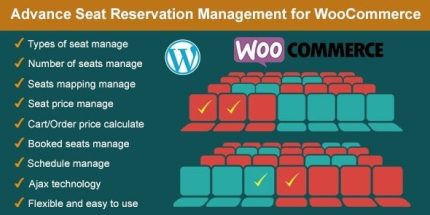
Advance Seat Reservation Management for WooCommerce 3.1

Advance Seat Reservation Management for WooCommerce lets customers pick exact seats and see live pricing at checkout, ideal for cinemas, trains, flights, events, and theaters. It gives admins flexible seating profiles, real-time availability, and per-seat pricing, improving booking accuracy and reducing no-shows. Type: plugin
Description
Advance Seat Reservation Management for WooCommerce is a plugin that adds seat selection to WooCommerce products, so customers can reserve exact seats instead of choosing generic quantities. It solves common booking issues for cinemas, trains, flights, events, and theaters by providing real-time seat availability and seat-specific pricing at checkout.
Using Elementor-compatible frontend product pages, the plugin lets admins define seating/vehicle profiles, create seat types (such as VIP, Standard, or Free), and configure individual seat maps. After purchase, selected seats are stored and displayed in the WooCommerce order details for accurate recordkeeping and easier rebooking.
Main Features
- Seat selection on product page — Customers pick exact seats and see the reservation choice reflected with the product.
- Real-time seat availability — Booked seats are shown so customers can choose from what’s currently available.
- Live per-seat pricing calculation — Seat pricing is computed during add-to-cart and checkout based on the selected seats and their types.
- Admin seating profiles — Create multiple profiles (e.g., Room 1/Room 2 or Vehicle 1/Vehicle 2) for different venues or departures.
- Seat types with configuration — Define seat categories (VIP, Standard, Free) with labels and seat serial counts.
- Interactive seat map — Seat layouts display on the seat reservation configuration so admins can set each seat’s configuration.
- Per-product seat profile assignment — On the product edit page, choose which seating profile applies to that product.
- Restore previously booked seats — Admins can view booked seats and restore them for scenarios like rebooking.
- Booked seat visibility in order details — Selected seats appear in the WooCommerce backend order detail and on the related product edit page.
Benefits
- More accurate bookings — Seat-by-seat reservations reduce mismatch between customer requests and allocated seats.
- Lower no-show risk — Clear seat assignments help enforce attendance expectations.
- Improved checkout UX — Customers choose seats directly, with pricing reflected as they select.
- Better operational clarity — Admins can track booked seats per order and per product configuration.
- Flexible venue and schedule setup — Seating profiles support multiple rooms, cars, aircraft, or show configurations.
Who is it suitable for?
- Cinema and movie theatre ticket stores
- Train, flight, or bus ticket WooCommerce businesses
- Event venues, conferences, and theaters
- Online services that require seat-based scheduling
- Agencies managing WooCommerce catalogs with multiple seating layouts