
YITH Woocommerce Catalog Mode Premium 2.57.0
Description
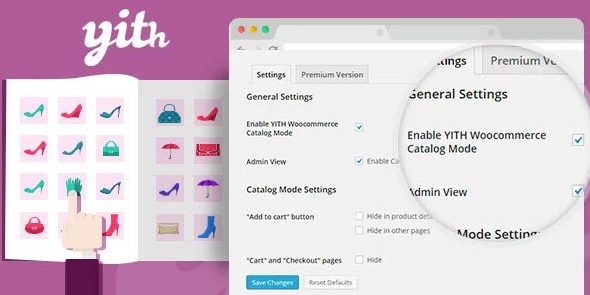
YITH WooCommerce Catalog Mode Premium turns your WooCommerce storefront into a browse-only product catalog. If you don’t want visitors to purchase right away, it lets you limit shopping actions while still showcasing products, categories, and details on the shop and product pages.
This plugin is useful when you need to control how prices and purchase buttons appear, such as showing prices only to specific users or restricting the Add to Cart and checkout flow. It’s built for WordPress and integrates with WooCommerce templates and settings, keeping your catalog experience consistent with your theme and layout.
With flexible rules, you can apply catalog behavior across your store or only where it matters most, helping you guide customers toward the next step without disrupting the way they explore your products.
Main Features
- Price visibility controls — Show or hide product prices based on your catalog mode settings.
- Add to Cart button management — Remove or disable the purchase button on product pages when catalog mode is active.
- Cart and checkout restriction — Prevent customers from completing orders through the standard WooCommerce cart/checkout flow.
- Global or targeted rules — Enable catalog mode sitewide or apply it selectively to specific products and categories.
- User role targeting — Apply catalog restrictions differently for guests and logged-in users (e.g., by role).
- Category-based storefront behavior — Keep navigation and browsing intact while limiting buying actions where configured.
- No template editing required — Use plugin settings to control catalog output without custom theme coding.
- WooCommerce compatibility — Designed to work with WooCommerce product, shop, and checkout elements.
Benefits
- Controlled purchasing — Reduce unwanted orders when you want customers to browse without buying immediately.
- Cleaner storefront UX — Focus attention on product information by removing buying distractions.
- Better B2B experience — Show prices and purchase options only to the right user groups.
- Fewer abandoned carts — Limit checkout attempts that can lead to drop-offs.
- Improved content discovery — Keep product pages accessible for browsing and search visibility while restricting transactions.
Who is it suitable for?
- Wholesale and B2B WooCommerce stores that show prices to logged-in users
- Product catalogs where purchases are restricted until a later step
- Web agencies building WooCommerce sites for clients with catalog-only requirements
- Online stores that need temporary catalog mode during promotions or stock updates
- Marketing-focused brands that want to prioritize product pages over checkout
