
WooCommerce Min Max Quantity & Step Control 2.0.8
Description
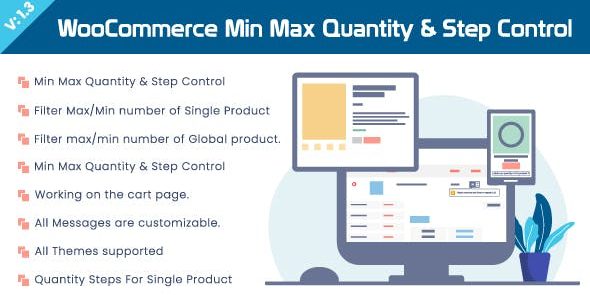
WooCommerce Min Max Quantity & Step Control is a WooCommerce plugin that helps you define the allowed quantity range for products in your store. You can set minimum and maximum order quantities, and also control the quantity “step” so customers can only choose valid increments. This solves common cart and checkout issues caused by manual quantity edits or inconsistent purchasing rules. By enforcing your limits inside WooCommerce, the checkout becomes more reliable and user input errors are reduced.
Designed to integrate smoothly with your existing WooCommerce setup, it supports applying rules to all products or targeting specific items. With straightforward configuration, you can tailor quantity constraints to match your catalog, inventory policies, or fulfillment requirements.
Main Features
- Minimum quantity rules — Set a minimum order amount to prevent under-ordering.
- Maximum quantity rules — Restrict orders to an allowed upper limit.
- Quantity step control — Enforce fixed increments so quantities follow your defined step.
- Apply to all products — Use the same constraints across your entire WooCommerce catalog.
- Target specific products — Configure min, max, and step for selected items instead of everything.
- Consistent ordering validation — Ensure customer quantity selections stay within your limits during ordering.
- Seamless WooCommerce integration — Works with your existing store flow without changing your theme or editor setup.
Benefits
- Fewer cart errors — Prevents invalid quantities that can break cart totals or checkout calculations.
- More reliable checkout — Reduces friction by keeping customer input within expected limits.
- Better customer experience — Users receive clear constraints through controlled quantity options.
- Policy alignment — Supports store rules for bulk ordering, reservations, or fulfillment constraints.
- Flexible control — Applies rules globally or per product for more tailored purchasing behavior.
Who is it suitable for?
- WooCommerce store owners managing quantity-based purchasing rules.
- Online shops that need to prevent cart/checkout issues from manual quantity edits.
- Agencies building WooCommerce setups with reusable store constraints.
- Catalogs with bulk ordering requirements or inventory/fulfillment limits.
- Blogs or content-driven stores with product lines that require consistent order quantities.
