Ad Inserter Pro 2.8.16
Description
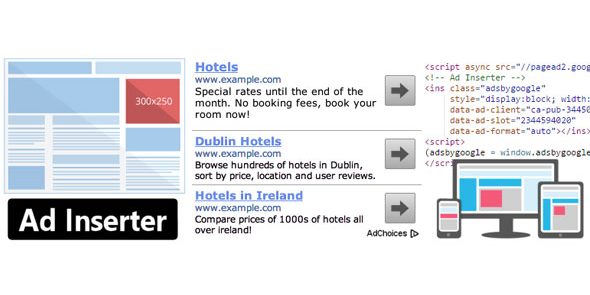
Ad Inserter Pro is a WordPress plugin that helps you place ads and scripts anywhere on your site from a single dashboard. Instead of manually editing templates, it inserts HTML, CSS, JavaScript, or PHP into selected locations across any page. It also supports automatic insertion rules for banner, AdSense, Amazon, and Media.net formats, including responsive and AMP-ready ad setups. Built for ad tracking and geo-targeting, it helps publishers improve monetization workflows while keeping configuration straightforward.
With support for opt-in forms, header/footer scripts, analytics, and tracking code, Ad Inserter Pro is a flexible ad manager that fits real WordPress publishing and eCommerce content patterns. It’s also designed to work with caching and includes debugging and troubleshooting tools to help you maintain reliable delivery.
Main Features
- Single-page dashboard — Manage all ad insertion rules and code settings from one intuitive interface.
- Insert code anywhere — Place HTML, CSS, JavaScript, or PHP before, inside, or after any HTML element on any page.
- Advanced automatic insertion — Automatically display ads based on configured conditions for smoother setup.
- Responsive and AMP support — Enable responsive AdSense ads and AMP ads for mobile and AMP pages.
- AdSense tools — Integrate your AdSense account, generate code, and preview AdSense output.
- Tracking and reporting — Track impressions and clicks and generate ad statistics reports in PDF format.
- Geo-targeting — Target users by country, state, region, and city-level location.
- Ad blocking and click fraud controls — Detect ad blockers, take actions like replacement or protection, and help mitigate click fraud.
- Compatibility and extensibility — Works with caching, supports widgets and shortcodes, and enables custom hooks via
do_action(), including WordPress multisite support.
Benefits
- More precise placement — Insert ads and scripts exactly where they perform best within your WordPress markup.
- Better ad targeting — Use country and device-based targeting to improve relevance and user experience.
- Improved measurement — Monitor impressions and clicks with reports to guide content and placement decisions.
- Consistent delivery — Support for responsive and AMP ads helps maintain performance across devices and page types.
- Reduced manual effort — Use automatic insertion, widgets/shortcodes, and debugging tools to lower setup friction.
Who is it suitable for?
- Ad publishers running WordPress blogs and content sites.
- WooCommerce store owners using WordPress for product guides and marketing pages.
- Marketing agencies managing multiple WordPress client sites, including multisite.
- Theme and template kit creators who need flexible ad placement without editing code.
- Developers using Elementor or custom layouts who want placement inside specific HTML elements.
- Sites focused on AdSense, Amazon, and Media.net monetization with tracking and geo-targeting needs.