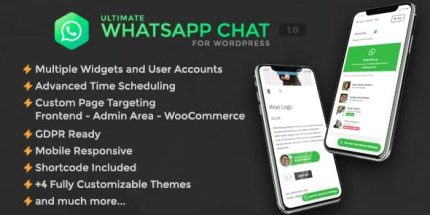
Ultimate WhatsApp Chat Support for WordPress 1.1.1

Ultimate WhatsApp Chat for WordPress provides a seamless, on-site WhatsApp support experience by embedding chat directly on your pages. Enjoy unlimited user accounts, custom statuses, and flexible availability schedules, giving you instant, personalized support and higher engagement. A fast, easy-to-use solution that integrates smoothly with Wordpress and boosts customer satisfaction. Type: Wordpress
Description
Ultimate WhatsApp Chat Support for WordPress helps you offer real-time WhatsApp support directly on your site by embedding a chat experience on your pages. Instead of redirecting visitors off to external links, the plugin connects users to the right WhatsApp conversation in a smoother, on-site flow. It’s designed for WordPress sites that need personalized communication, clearer availability, and simpler account management. With configurable statuses and flexible time scheduling per account, you can guide visitors to the right contact option when you’re online.
Main Features
- Unlimited WhatsApp user accounts — Add as many WhatsApp accounts as you need for your website support.
- Per-account phone numbers — Connect each account to an individual phone number for targeted chats.
- Per-account chat group URLs — Link accounts to chat group URLs when community or team chats are preferred.
- Custom status messages — Define online, unavailable, and offline status text to match your support situation.
- Initial chat message — Pre-fill a first message so users see exactly how you want them to start.
- Button message text — Customize the text shown on chat buttons for a clearer call to action.
- Availability scheduling — Set custom account availability to control when chat should be accessible.
- Unlimited time-blocks per day — Build detailed schedules with multiple enabled periods each day.
- Custom account visibility — Control how accounts are shown based on your availability setup.
Benefits
- Faster support flow — Visitors can start WhatsApp conversations without leaving your WordPress pages.
- More personalized interactions — Statuses and initial messages tailor the chat experience from the first tap.
- Fewer missed conversations — Availability schedules and offline/unavailable statuses reduce confusion about response times.
- Better visitor experience — Clear messaging improves clarity and helps users contact the right option.
- Simpler multi-contact management — Unlimited accounts make it easier to organize support for teams, products, or regions.
Who is it suitable for?
- WooCommerce stores needing WhatsApp order and product help
- Service businesses handling pre-sale and support questions
- Agencies managing WhatsApp contact options for multiple clients
- Content sites that want an embedded on-site help channel
- Online schools and training providers supporting learners
- Membership platforms coordinating community or account-related chats