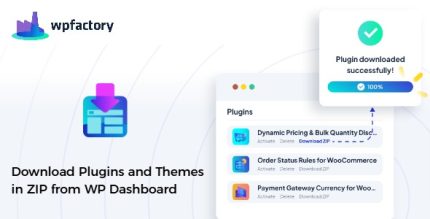
Download Plugins and Themes from Dashboard Pro 1.9.5
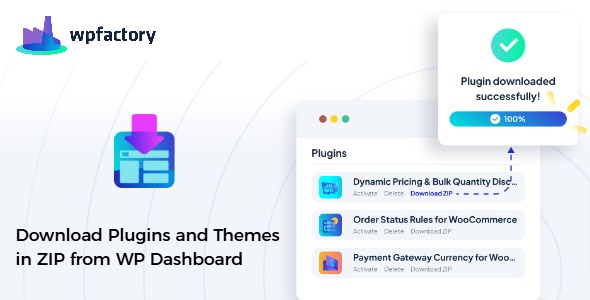
Download Plugins and Themes from Dashboard Pro lets you grab any installed plugin or theme as a ZIP directly from your WordPress dashboard, with no FTP or cPanel needed. Save time, simplify backups and site transfers with one-click downloads of plugins and themes. A lightweight tool with seamless integration and easy access—explore the plugin today for quick, reliable offline copies.
Description
Download Plugins and Themes from Dashboard Pro is a WordPress-focused utility that lets you download your installed plugins and themes as ZIP files directly from the WordPress admin dashboard.
Instead of using FTP clients or cPanel file managers, you can quickly capture offline copies for backups, staging work, or site transfers.
It streamlines the “get the files” step for moving content between environments and keeps your workflow centered in WordPress, with simple, one-click access to ZIP downloads.
Main Features
- Dashboard ZIP downloads — Download installed plugins and themes as ZIP archives from the WordPress admin area.
- One-click retrieval — Start downloads with a single action, reducing the time spent locating files.
- No FTP or cPanel — Avoid external file tools by managing downloads from within WordPress.
- Installed assets access — Works with the plugins and themes you already have installed on the site.
- Backup-friendly files — Create offline copies of plugin and theme code in a convenient archive format.
- Transfer-ready ZIPs — Export ZIP files to move assets between sites or environments.
- Lightweight integration — Designed to fit into the WordPress dashboard workflow without adding heavy setup.
- Clear admin UX — Keeps the process straightforward for non-technical administrators and site owners.
Benefits
- Faster backups — Quickly generate plugin and theme archives without switching tools.
- Smoother site migrations — Transport installed assets using ZIP downloads that are easy to import elsewhere.
- Improved workflow — Centralize tasks in WordPress admin rather than managing files via FTP/cPanel.
- Better safety for offline copies — Maintain accessible archives for troubleshooting or restoration efforts.
- Reduced operational friction — Minimize steps during routine maintenance and staging updates.
Who is it suitable for?
- WooCommerce store owners managing site plugins and theme updates.
- WordPress administrators who need quick ZIP backups.
- Website developers preparing staging and migration packages.
- Agencies handling multiple client sites and environments.
- Bloggers or content teams who manage themes and plugin-based features.
- Site owners who prefer dashboard-based tools over FTP/cPanel.