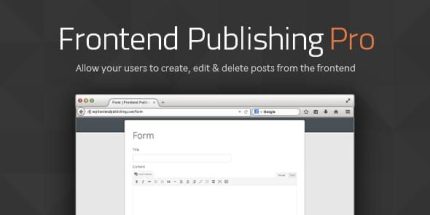
Frontend Publishing Pro 3.12.0

Description
Frontend Publishing Pro is a WordPress plugin that lets users create and publish posts directly from the front end, so contributors don’t need to rely on the back-end dashboard. It removes the usual friction of coordinating edits in wp-admin, making collaboration more straightforward. By keeping content creation in the same area visitors and team members already work with, it helps streamline the workflow for faster output. The result is a smoother publishing experience that supports more consistent engagement and productivity across your site.
Built for simple integration with your existing WordPress setup, Frontend Publishing Pro focuses on a clean, user-friendly interface that empowers contributors to share updates with less effort and fewer barriers.
Main Features
- Front-end post publishing — Create and publish posts from the public-facing area of your WordPress site.
- Simplified contributor workflow — Enables collaboration without requiring frequent back-end navigation.
- Faster content creation — Reduces time spent switching between editor screens and the site experience.
- No back-end barriers — Lowers the learning curve for users who manage content but aren’t WordPress admins.
- Clean, user-friendly interface — Provides a straightforward front-end experience for posting tasks.
- Effortless WordPress integration — Fits into your existing theme and content workflow to support ongoing publishing.
- Supports ongoing updates — Helps contributors keep content moving with fewer coordination delays.
- Improved publishing continuity — Keeps the editorial process aligned with the front-end experience.
Benefits
- Higher productivity — Speeds up creation and publishing by reducing friction for contributors.
- Better UX for teams — Provides a consistent front-end workflow instead of back-end gatekeeping.
- More efficient collaboration — Improves teamwork by letting multiple users contribute without heavy coordination.
- More consistent publishing — Encourages regular content updates, supporting sustained engagement.
- Smoother editorial flow — Minimizes context switching between the site and the WordPress dashboard.
Who is it suitable for?
- WordPress blogs with guest writers and rotating contributors.
- Content-focused websites that want a simpler author workflow.
- Agencies managing edits for multiple clients with non-technical contributors.
- Editorial teams that need faster turnaround from idea to published post.
- Community or membership sites where users contribute articles from the front end.
- Marketing teams maintaining frequent updates without relying on wp-admin access.