Institutions Directory 1.3.4
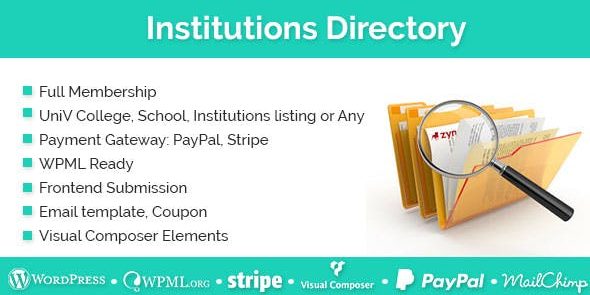
Institutions Directory helps you launch a searchable directory of schools and organizations on WordPress with a plug‑and‑play setup. This WordPress plugin auto‑creates essential pages, email templates, and settings on install, delivering a fast, hands‑off setup and a polished user experience.
Description
Institutions Directory is a WordPress plugin designed to help you launch a searchable directory of schools and organizations with a plug-and-play setup. Instead of building pages and configuration from scratch, the plugin creates the essential structure on install so visitors can quickly find relevant institutions.
On activation, it auto-generates the key directory pages, email templates, and settings needed for a polished workflow. The hands-off setup supports a clean, user-friendly experience while keeping your site organized as your directory grows.
Main Features
- Searchable institutions directory — Enables visitors to search through listings of schools and organizations on your WordPress site.
- Plug-and-play installation — Designed for quick setup with minimal setup steps after enabling the plugin.
- Auto-created essential pages — Generates the required directory pages during installation.
- Auto-created email templates — Sets up email templates needed for the plugin’s directory-related communication flow.
- Auto-configured plugin settings — Creates the necessary settings on install so you can start using the directory right away.
- Organized institution listings — Provides a structured way to present schools and organizations in one place.
- Polished user experience — Keeps the directory experience consistent and easy to navigate for site visitors.
- WordPress-native approach — Works as a WordPress plugin so it fits naturally into standard WordPress workflows.
Benefits
- Faster launch — Auto-created pages, templates, and settings reduce setup time.
- Improved usability — Search access helps visitors find institutions without extensive browsing.
- Better conversion paths — A clear directory layout supports smoother user journeys to the next step.
- Cleaner site structure — Centralizes institutions into a consistent directory format.
- SEO-friendly pages — Prebuilt, dedicated directory pages can be easier to index than ad-hoc content.
Who is it suitable for?
- WooCommerce store owners adding a school/education resource directory
- Education websites and school networks
- Nonprofits and community organizations managing member institutions
- Agencies creating informational directories for clients
- Local directories and city/community portals