Facebook Chat 1.2.1 – WordPress Facebook Chat plugin
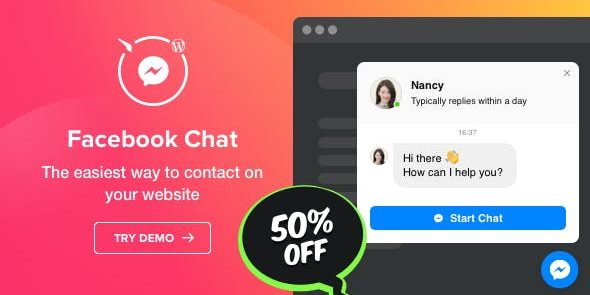
Facebook Chat by Elfsight is a fast WordPress plugin that lets visitors reach you in their favorite messenger 24/7 for instant answers. Boost conversions with on-page triggers, a custom welcome message, and targeted appearance on specific pages, making support effortless for both you and your audience.
Description
Facebook Chat by Elfsight is a fast WordPress plugin that lets visitors message you in Facebook Messenger 24/7. It helps solve the “contact delay” problem by giving users an instant way to ask questions without leaving your website.
With targeted placement, start-chat triggers, and a custom welcome message, you can guide conversations exactly where they matter. Works well alongside WordPress themes and Elementor-based layouts, so your chat experience stays consistent across key pages and audiences.
Main Features
- Facebook Messenger chat on your site — Add a direct chat entry point for visitors to reach you via Messenger.
- 24/7 availability — Keep a chat option available so questions can be started any time.
- On-page triggers — Use triggers to open or prompt chat based on user behavior and page context.
- Targeted page visibility — Choose specific pages where the chat widget will appear.
- Audience-based appearance — Display the chat for certain groups of visitors to improve relevance.
- Custom welcome message — Set a tailored first message to set expectations and reduce back-and-forth.
- Icon and widget customization — Select icons to match your website presentation.
- Easy WordPress integration — Connect Facebook Chat to your WordPress site without complex setup.
Benefits
- Higher conversions — More qualified questions turn into sign-ups, purchases, or leads.
- Better UX — Users can get help immediately from the page they’re browsing.
- Faster responses — Start chats instantly to reduce friction compared to static contact forms.
- More targeted communication — Showing chat on the right pages improves engagement quality.
- Smoother onboarding — A welcome message helps guide visitors from the first interaction.
Who is it suitable for?
- WooCommerce stores that need quick product and checkout questions answered.
- Service businesses collecting inquiries from website visitors.
- Content-driven blogs and landing pages that want real-time reader support.
- Agencies managing client websites with chat-ready customer communication.
- Online schools and course sites addressing admissions and lesson questions.