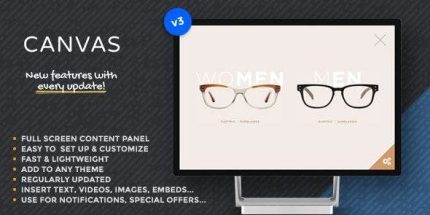
Canvas: Show any content in a fullscreen slide 3

Canvas Show any content in a fullscreen slide lets you display any content—text, images, videos, forms, or shortcodes—in a fullscreen flyout panel for your Wordpress theme, delivering distraction-free, immersive content. With ultra-fast setup, responsive design, and deep customization, it’s the easiest way to showcase dynamic content and boost engagement.
Description
Canvas Show any content in a fullscreen slide is a WordPress plugin that adds a minimal flyout content area to your site. Instead of showing important details inline, it presents them in a fullscreen, distraction-free panel. You can use it to display dynamic content such as text, images, videos, forms, and shortcodes within a dedicated space.
Designed to be quick to set up, it works across devices and lets you customize the flyout panel to match your WordPress theme. If you want a more immersive way to highlight offers, information, or interactive elements, Canvas helps you do it without complex page redesigns.
Main Features
- Fullscreen flyout panel — Shows content in a fullscreen slide-style panel for an immersive reading experience.
- Display any WordPress content — Supports text, images, videos, and form content in the flyout area.
- Shortcode compatibility — Render shortcode-based elements directly inside the fullscreen slide.
- Works with any WordPress theme — Integrates with your existing theme without requiring a theme rebuild.
- Responsive on all devices — Keeps the flyout experience usable and consistent across mobile, tablet, and desktop.
- Quick setup — Streamlines configuration so you can add the flyout content area fast.
- Dedicated content area — Keeps key information focused in a separate panel instead of interrupting the main layout.
- Panel customization — Allows you to tailor the flyout panel look and behavior to fit your site.
Benefits
- More engaging UX — Fullscreen presentation helps users stay focused on the content that matters most.
- Higher interaction — Interactive elements like forms and embedded content are more noticeable in a flyout panel.
- Faster content rollouts — Quick setup makes it easier to publish updates without major layout changes.
- Consistent across devices — Responsive behavior supports better usability for visitors on any screen size.
- Reusable content workflows — Shortcodes and standard WordPress content types simplify adding new flyout sections over time.
Who is it suitable for?
- WooCommerce stores promoting products, bundles, or seasonal highlights
- Business websites needing immersive landing or announcement panels
- Blogs and content publishers showcasing videos, media, or curated text
- Agencies managing multiple WordPress client sites and theme variations
- Online schools and event pages collecting sign-ups via forms