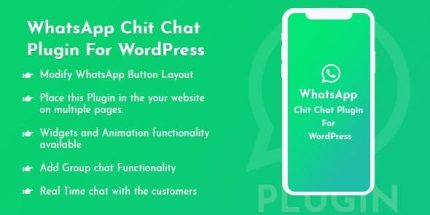
WhatsApp Chit Chat 1.0.3 – Plugin For WordPress

Description
WhatsApp Chit Chat is a WordPress plugin that enables instant WhatsApp chat support directly from your website. It lets visitors send queries and continue the conversation in real time, so you can respond faster than email or contact forms. The plugin redirects users to the WhatsApp login page for quick access to the chat flow, keeping the experience smooth on both desktop and mobile. With product sharing and configurable buttons, it also helps visitors share what they like, including items from WooCommerce product pages.
Designed for practical support and engagement, WhatsApp Chit Chat makes it easy to place WhatsApp entry points across your site, including pages and blog posts. You can tailor the button layout, colors, and widget behavior to match your theme and improve visibility where customers are most likely to ask questions.
Main Features
- Instant WhatsApp chat support — Enables visitors to start a conversation from your site for real-time help.
- Quick redirect to WhatsApp login — Sends users to the WhatsApp login page to access chat faster.
- Real-time customer conversations — Keeps communication immediate between your visitors and your WhatsApp account.
- Product and content sharing on mobile — Provides direct sharing from post and page content to WhatsApp.
- Custom WhatsApp button layout — Adjusts where and how the WhatsApp button appears on your site.
- Placement on multiple pages — Works across different parts of your website, not just a single page.
- Widgets and animation — Adds configurable widgets and animation options for a more engaging interface.
- Group chat functionality — Supports group chats for shared discussions with unlimited color options.
- Shortcode for blog posts — Lets you embed the WhatsApp button using a shortcode in posts and content.
Benefits
- Faster responses — Real-time WhatsApp chat helps reduce waiting time for user questions.
- Higher conversions — Quick access to support can remove purchase friction when customers need answers.
- Better user experience — Mobile sharing and direct chat access make interactions feel effortless.
- More engagement — Animated widgets and well-positioned buttons increase visibility and interaction.
- Flexible site integration — Shortcode and multi-page placement support different content layouts and goals.
- Stronger community communication — Group chat support improves coordination for teams, communities, or shared support.
Who is it suitable for?
- WooCommerce stores that want quick product questions via WhatsApp
- Ecommerce brands and online retailers
- Service websites needing responsive customer support
- Blogs and content sites with posts that benefit from instant chat access
- Agencies managing multiple client websites with consistent button styling
- Communities or education platforms using WhatsApp group discussions