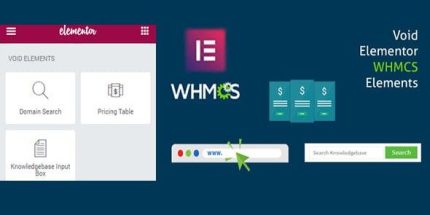
Elementor WHMCS Elements Pro For Elementor Page Builder 4

Elementor WHMCS Elements Pro For Elementor Page Builder is a WordPress plugin that adds widgets like Domain Searcher, Live domain Searcher, and live pricing tables pulled directly from WHMCS. It saves you time by syncing prices automatically and includes a knowledgebase box for quick searches, making pricing and support effortless—explore the power today.
Description
Elementor WHMCS Elements Pro For Elementor Page Builder is a WordPress plugin that adds WHMCS-powered widgets to the Elementor page builder. It helps you display domain search and pricing experiences directly on your site without manually updating tables whenever WHMCS pricing changes.
With widgets like Domain Searcher, Live domain Searcher, and live pricing tables, the plugin fetches pricing from your WHMCS installation and renders it inside Elementor layouts. It also includes a knowledgebase box to streamline searches and route users to WHMCS or a WHMCS bridge page.
Main Features
- Domain Searcher widget — Adds a domain search interface to Elementor pages.
- Live domain Searcher — Enables real-time domain availability searching while users type.
- Pricing table — Shows WHMCS pricing in a structured table layout for quick scanning.
- Live pricing table — Pulls pricing directly from WHMCS so values stay aligned with your source.
- Non-live pricing mode — Lets you use a pricing table mode that doesn’t rely on live updates.
- Knowledgebase box — Provides an on-page knowledgebase search element.
- WHMCS routing for searches — Posts knowledgebase searches to WHMCS or a WHMCS bridge page.
- Elementor widget integration — Uses Elementor’s editor to place and configure WHMCS elements on pages.
Benefits
- Fewer manual updates — Pricing stays consistent by fetching values from WHMCS instead of editing tables.
- Faster decision-making — Domain search and pricing are available where visitors already browse your pages.
- Better user experience — Live search reduces friction and keeps interactions responsive.
- Cleaner page workflows — Knowledgebase searches route users to the right WHMCS content from the same layout.
- Flexible display options — Non-live pricing mode supports different update and performance needs.
Who is it suitable for?
- Companies using WHMCS for billing and domain management
- WooCommerce-free hosting, domain, or SaaS websites built with Elementor
- Agencies creating marketing pages with Elementor templates and layouts
- Website owners who need dynamic domain search and WHMCS pricing on landing pages
- Teams managing knowledgebase content and support discovery through WHMCS