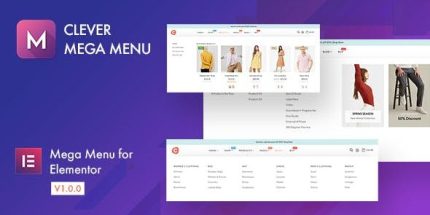
Clever Mega Menu for Elementor 1.0.12

Clever Mega Menu for Elementor is a WordPress mega menu plugin that integrates with Elementor to create highly customizable, responsive menus via drag-and-drop. As a type: WordPress plugin, the main benefit is boosting navigation, clicks, and conversions with flexible design, backgrounds, colors, and layout options. Extra advantage: no coding skills required, plus presets, widgets, and dummy data for quick setup.
Description
Clever Mega Menu for Elementor is a WordPress mega menu plugin built to work directly with the Elementor live page builder. It helps you design responsive navigation with Elementor-style controls, so you can craft menu items that include rich content using a drag-and-drop workflow.
Instead of relying on basic menu layouts, this plugin solves the “limited navigation” problem by giving you flexible styling options—backgrounds, colors, widths, and layout choices—plus presets, widgets, and dummy data to speed up setup. The result is clearer site structure that can support higher clicks and conversions across your pages.
Main Features
- Elementor-powered mega menu builder — Create and style mega menu content inside Elementor for consistent page editing.
- Drag-and-drop menu item content — Add content to menu items visually without complex setup steps.
- Custom menu placement module — Use the Custom Menu module to place your menu into Elementor layout sections.
- Horizontal and vertical menu layouts — Choose the menu structure that matches your theme and site design.
- Responsive design controls — Ensure the menu adapts and looks correct across different screen sizes.
- Flexible styling options — Adjust backgrounds, custom widths, and colors for targeted visual hierarchy.
- Presets for quick styling — Save and apply preset style settings to menu locations.
- Mega menu widgets — Add vertical or horizontal mega menu widgets to place menus anywhere on the site.
- Dummy data, badges, and import/export — Use demo-like dummy data, add badges to highlight items, and reuse settings via import/export.
Benefits
- Better navigation experience — Clear mega menu organization makes it easier for visitors to find key pages.
- Higher engagement — Highlighted items and structured layouts encourage more menu interactions and clicks.
- Faster content setup — Presets, dummy data, and widgets reduce the time needed to build polished menus.
- Consistent on-brand design — Elementor-style controls help keep menu styling aligned with your site’s look.
- Reusability across pages — Import/export supports quick duplication of menu settings for multiple locations.
Who is it suitable for?
- WooCommerce stores that want clearer category and product navigation.
- Business websites using Elementor and custom theme layouts.
- Agencies building multiple branded pages for different clients.
- Blogs and content sites that need structured topic menus.
- Online services and SaaS landing sites with complex information hierarchy.
- Website owners who want no-code control over responsive mega menus.